Artículos con la etiqueta ‘quizz’

10 Useful Web Tools for Creating Online Quizzes and Polls

Following the visual I posted here a couple of weeks ago featuring the differences between formative and summative assessments, somebody shared with the link to this Listly list that comprises dozens of interesting web tools to create online assessments. I have already reviewed some of the tools mentioned in this list in separate posts here in Educational Technology and Mobile Learning but I also found out new tools I did not know about. See it on Scoop.it…

Continuar leyendo: 10 Useful Web Tools for Creating Online Quizzes and Polls

Fuente: Tic&Educación

Metta — Storytelling + Polling In One Compact Format.

Metta lets you create multimedia stories out of online videos, pictures, text & sound. Teachers & journalists can insert polls & quizzes into presentations.See it on Scoop.it, via TIC & Educación

Continuar leyendo: Metta — Storytelling + Polling In One Compact Format.

Fuente: Tic&Educación

Kuizza, crea un quiz y permite estudiar su solución mediante tarjetas didácticas

Kuizza es una nueva y llamativa opción online para crear quizzes o pruebas rápidas con múltiples opciones de respuesta, con solución única o tambiénSee it on Scoop.it, via Recull diari

Continuar leyendo: Kuizza, crea un quiz y permite estudiar su solución mediante tarjetas didácticas

Fuente: Recull Diari

Kuizza – Online Flashcards and Quizzes

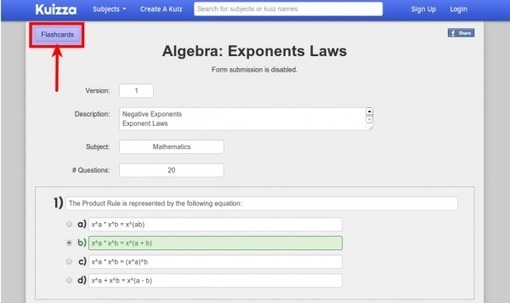
Kuizza is a new entry into the online flashcard and quiz market. The free service offers a simple way to create multiple choice quizzes. The quizzes can have questions with single or multiple correct answers. Any quiz that you create can instantly be viewed as a set of flashcards by simply clicking the “flashcards” button displayed along with each quiz.See it on Scoop.it, via TIC & Educación

Continuar leyendo: Kuizza – Online Flashcards and Quizzes

Fuente: Tic&Educación
Edynco – create interactive content

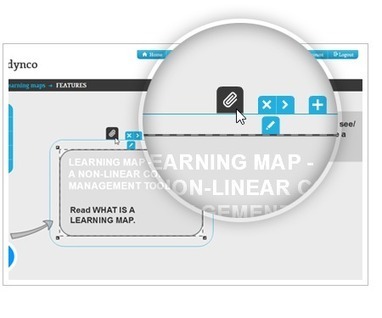
A toolbox for modern educators. Create Learning Maps, Micro lectures, Quizzes or train with Online Courses, all that with Edynco educational software.See it on Scoop.it, via TIC & Educación

Continuar leyendo: Edynco – create interactive content

Fuente: Tic&Educación
QuizBean – Quickly Create and Distribute Quizzes to Students Even If They Don’t Have Email Addresses

QuizBean is a nice platform for creating simple image-based quizzes that your students can complete online. The service recently received some updates that teachers will appreciate. The most significant update to QuizBean is the removal of the email requirement. You can now create QuizBean accounts for students that do not have email addresses. You can assign quizzes to students on a class-by-class or individual basis. Quiz results are automatically sent to your …

Continuar leyendo: QuizBean – Quickly Create and Distribute Quizzes to Students Even If They Don’t Have Email Addresses

Fuente: Tic&Educación

Create interactive quizzes with Quizlet

We make simple learning tools that let you study anything, for free.See it on Scoop.it, via TIC & Educación

Continuar leyendo: Create interactive quizzes with Quizlet

Fuente: Tic&Educación
QuizBean | Quickly Create Online Quizzes For Free

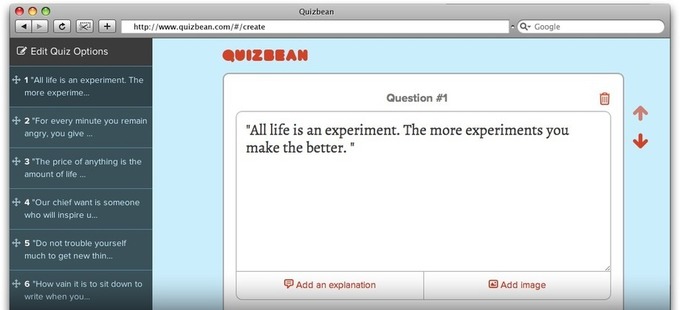
QuizBean is the easiest way to create and share online quizzes with your friends. It’s totally free, so what are you waiting for? Make your first quiz!See it on Scoop.it, via TIC & Educación

Continuar leyendo: QuizBean | Quickly Create Online Quizzes For Free

Fuente: Tic&Educación

10 Tools For Classroom Quizzes

Making classroom quizzes more interactive can be an easy and fun way to do the same checks on understanding and comprehension without hearing the inevitable groans from the students.See it on Scoop.it, via TIC & Educación

Continuar leyendo: 10 Tools For Classroom Quizzes

Fuente: Tic&Educación
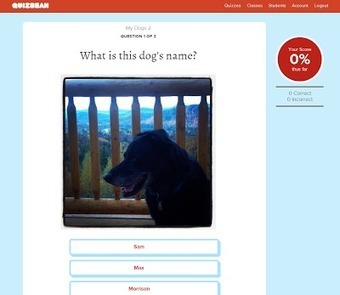
QuizBean – Quickly Create and Distribute Online Quizzes

QuizBean (formerly known as QuizPoo) is nice platform for creating simple image-based quizzes that your students can complete online. The service recently received some updates that teachers will appreciate. First, you can now add more than two answer choices to each question. Second, you can now assign quizzes to students on a class-by-class or individual basis. Third, quiz results are automatically sent to your teacher dashboard when students have completed a quiz.See it on Scoop…

Continuar leyendo: QuizBean – Quickly Create and Distribute Online Quizzes

Fuente: Tic&Educación

This is How to Use Google Form to Keep Track of Student Assignments

Google Form is an amazing web tool and as I mentioned yesterday in ” 5 Good Web Tools to Create Class Forms and Sheets”, Google Form is the tool I use the most when creating forms and quizzes. There are several reasons why I opted for it, first it is automatically integrated with Google Drive which means that anything I create on it is asynchronously saved in my drive account so I don’t have to worry about…

Continuar leyendo: This is How to Use Google Form to Keep Track of Student Assignments

Fuente: Tic&Educación