
Consejos en vídeo para utilizar algunas herramientas de google.
 En esta lista de reproducción de youtube se enseñan algunos trucos y consejos para utilizar de forma más eficiente algunas de las herramientas más utilizadas de google como el correo, drive, chrome…etc.
Continuar leyendo: Consejos en vídeo para utilizar algunas herramientas de google.
Fuente: villaves56.blogspot.com
 See it on Scoop.it, via TIC & Educación
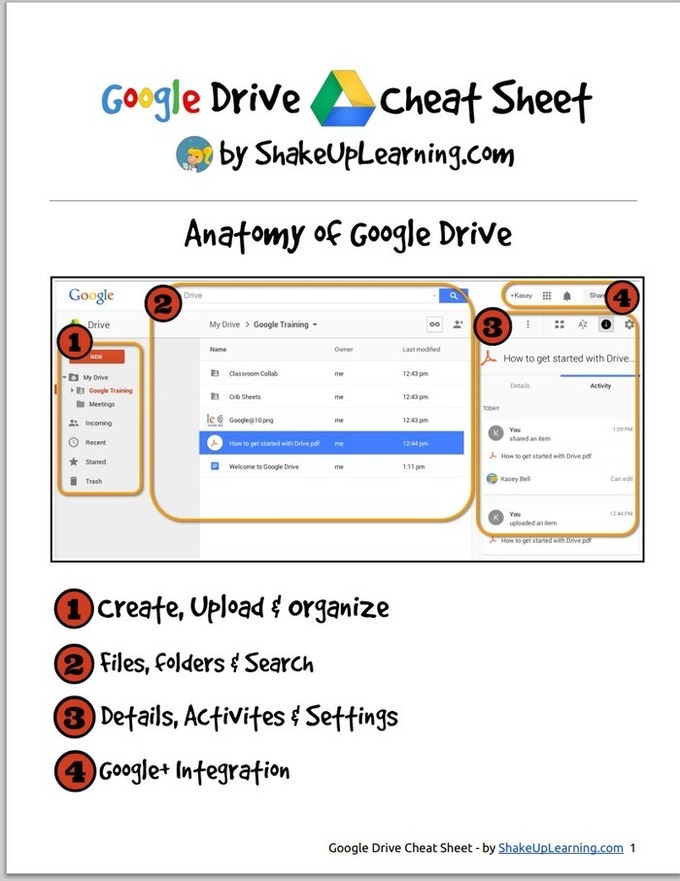
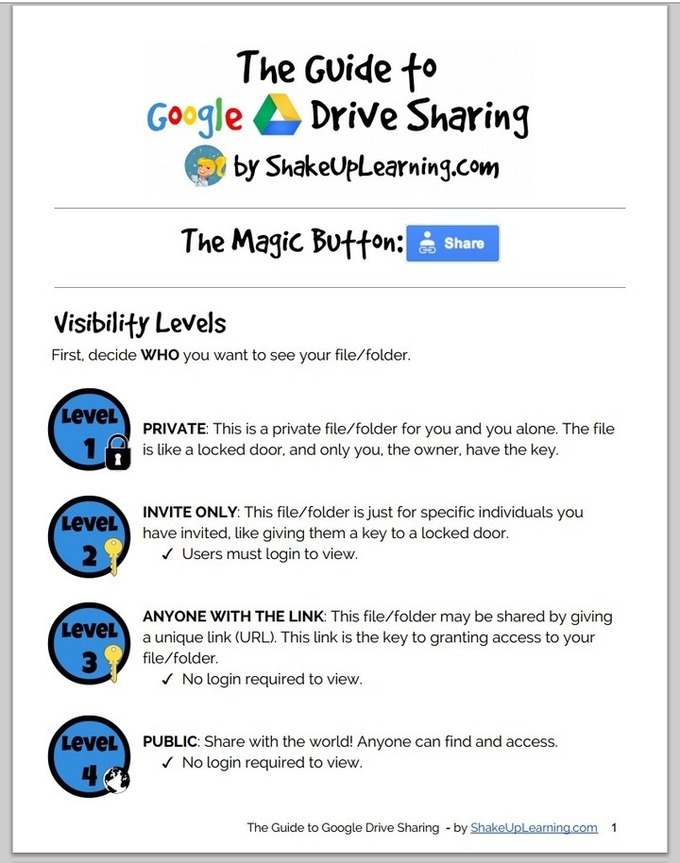 To help teachers master Google Drive , I started sharing here a series of posts in which I feature guides, tutorials, tips and tricks that I would across in my browsing errands. After sharing the new Google Drive cheat sheet, today I am featuring another wonderful short visual guide created by Shake Up Learning ( one of my favourite EdTech blogs). In this guide teachers will learn about the basics of sharing on Google Drive. This Guide is available for…
 Google mejora la presentación de sus Documentos, Slides y Hojas de Cálculo. Los sitios para hallar el material publicado en Google Drive muestran la vista previa de los documentos.See it on Scoop.it, via TIC & Educación
 Here is another handy Google Drive tip that is often overlooked by many teachers. Did you know that you can publish a Google Doc, presentation or sheet as a web page? Yes you can write a document or create a presentation and share it as a web page that students can access using the URL you share with them. Here is how to do it:Open the document you want to publish as a web page…
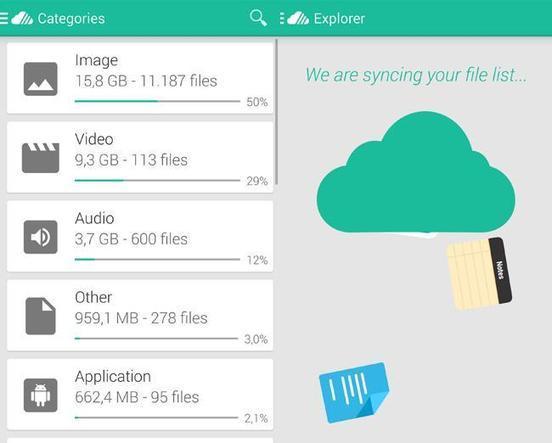 En un día cualquiera utilizo tres cuentas de almacenamiento en la nube: dos de Google Drive (una por trabajo y otra por motivos personales) y una…See it on Scoop.it, via Recull diari
 Animated gifs are used a lot on the web to demonstrate new features of software or quick tutorials for web services. So far this could be done easily only with professional software like Camtasia. Techsmith, the same company that also produces Camtasia has made this feature free for the Snagit Chrome extension.The new feature just works like conventional screen recording. When the recording has finished it is automatically uploaded to your Drive and you have the additional options …
 Looking for ways to motivate your students? Mia from Anethicalisland has 27 strategies for you to use in class to get your students motivated.These strategies cover both types of motivation: intrinsic motivation (an inner drive to engage in an activity for its own sake because it is interesting and satisfying in itself), and extrinsic ( a drive to engage in an activity because of a reward to engage in the activity or a punishment for not engaging). …
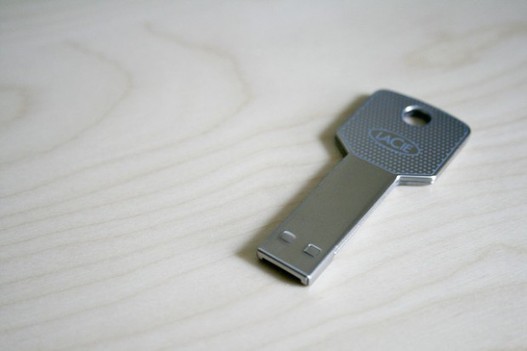 Recomendamos algunos usos prácticos para ese viejo pendrive que nunca más has usado, desde archivos cifrados a aplicaciones portátiles.See it on Scoop.it, via TIC & Educación
 One of my favorite features of Google Drive is Google Forms. If you’re unfamiliar with this, think of it as a way to create quick surveys that can be used for a number of applications. Google automatically aggregates this data into a Google Spreadsheet, making forms a great way to quickly collect and share information. I have seen educators and administrators use Google Forms in the most creative and inventive ways. If you’re just starting with Google Forms, …
 See it on Scoop.it, via TIC & Educación
 This week’s tip for teachers is about creating videos in Google Drive. As you know, since the time Google made it possible to integrate third party apps into Google Drive, there appeared a wide variety of excellent applications that are deemed to enhance the overall performance of your Drive . One of the essential apps that I think every teacher should connect with Google Drive is called WeVideo.See it on Scoop.it, via TIC &
 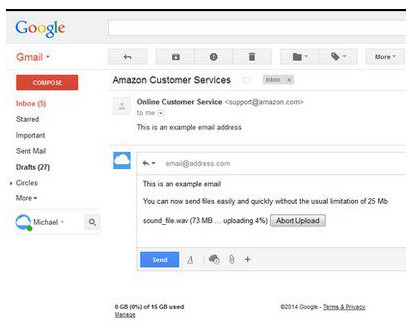 Firedrive es un servicio integrado como una extensión de Firefox te va a facilitar la carga y envío de grandes archivos que serán adjuntados en un correo de tu cuenta de Gmail.See it on Scoop.it, via TIC & Educación
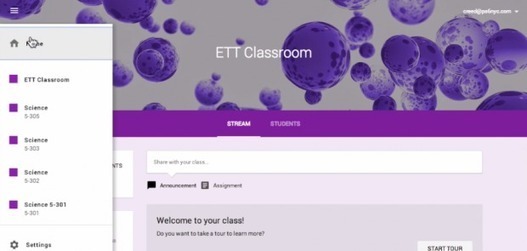 With the recent announcement of Google Classroom, school districts and educators across the country that are currently integrating Google Apps for Education into their classrooms are awaiting the opportunity to gain access to Google’s workflow solution. While there are currently a number of workflow solutions and approaches within Google Drive that classroom teachers can take that range from manual organization and file / folder sharingto advanced automation with tools such as Doctopus, See it on Scoop.it, via TIC &…
 Muchos usuarios de Blogger se plantean la posibilidad de complementar su Blog con la posibilidad de ofrecer descarga de archivos con información suplementaria a sus contenidos. Desde recetas a manuales de instrucciones, cursos, fotografías, poesías, escritos… las posibilidades de ofrecer a tus seguidores un valor añadido que pueda serles útil siempre ofrece muy buenos resultados.Vamos a ver con esta guía paso a paso cómo podemos complementar a Blogger con …
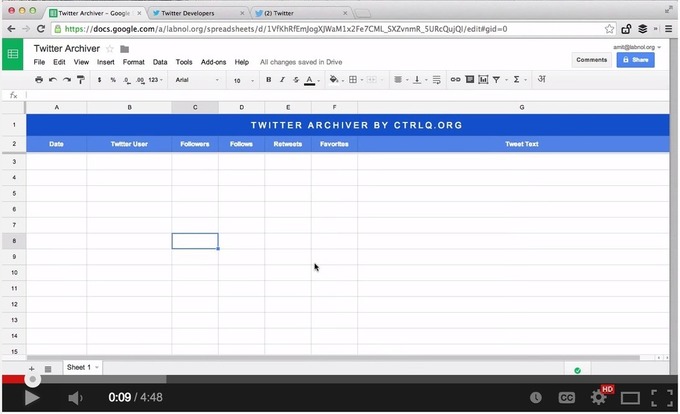 Here is a practical and easy way to save tweets related to a particular search term or hashtag into a single Google Sheet. You can then download this sheet in Word or PDF format or even publish it as an HTML web page. This little hack by Digital Inspiration is ideal for teachers using Twitter to grow professionally. Now if you don’t have time to take part in the weekly education chats taking place on Twitter, you can simply…
 In the new Google Drive it is more obvious how you can upload files. Click on “New’ and choose “File upload.” Alternatively, you can simply drag the files right into Google Drive if you are using Google Chrome.See it on Scoop.it, via TIC & Educación
 Personalized learning is a key to transforming education. What is personalized learning? It is meeting the kids where they are – and then helping them grow in their strengths, and better see themselves. It’s finding out where each student’s interests lie, challenging them to grow in their individual interests, and then celebrating their growth! It is student-centered, student-driven, and student-celebrated.See it on Scoop.it, via TIC & Educación
 PicCollage is one of my favorite Android and iPad apps. It is a free that allows you to quickly arrange pictures, video, text, and stickers into collages. From the app you can share your collage to Google Drive, Instagram, Facebook, Dropbox, and many other file sharing services. In the video below I demonstrate how to use it without creating a PicCollage account. Below the video I have five ideas for using in your classroom. See it…
 Using the cloud in the classroom can be a powerful thing.One of the most common uses of the cloud in today’s classroom is word processing, and one of the most common cloud-based word processing platforms is Google Drive.See it on Scoop.it, via TIC & Educación