Apuntes sobre elearning – – Aproximación al PLE
See it on Scoop.it, via TIC & Educación
Continuar leyendo: Apuntes sobre elearning – – Aproximación al PLE
Fuente: Tic&Educación
See it on Scoop.it, via TIC & Educación
Continuar leyendo: Apuntes sobre elearning – – Aproximación al PLE
Fuente: Tic&Educación
Vídeos de ayuda para anunciar las novedades de eXe LearningSee it on Scoop.it, via TIC & Educación
Continuar leyendo: eXeLearning.net
Fuente: Tic&Educación
There are several benefits to using badges in an online class. Among these are greater autonomy for students, greater levels of feedback, and a variety of assignments. Students also enjoy the ability to try again if they don’t succeed at first and the badge graphics they receive once they earn the badge.See it on Scoop.it, via TIC & Educación
Continuar leyendo: 4 Benefits To Using Badges In Online Learning
Fuente: Tic&Educación
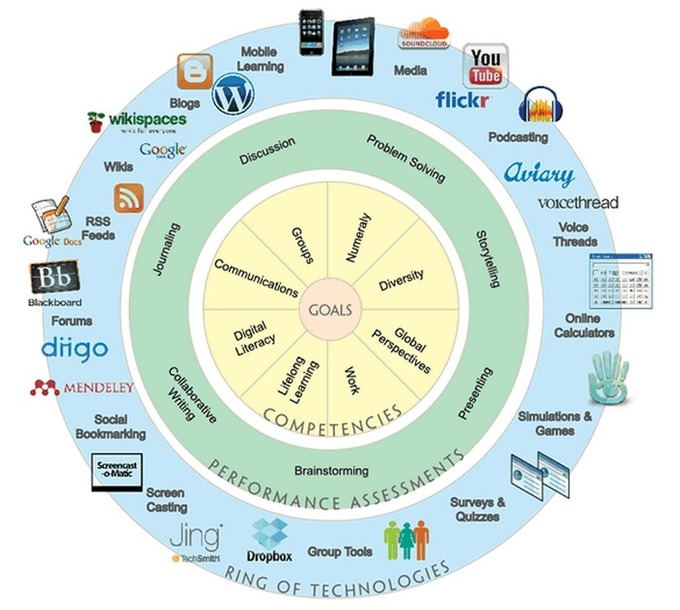
Ring of Technologies is a beautiful visual wheel that displays a host of learning goals together with some examples of web tools to achieve them. To me this work (created and shared by UAF eLearning Faculty Resources) represents the core of digitally-based learning. It also chimes in with what we have said about purposeful use of technology in instruction. Having clear goals about what you want to target in your teaching using technology will definitely help your learners…
Continuar leyendo: The Digital Learning Wheel
Fuente: Tic&Educación
Para asegurar que sus alumnos obtengan lo máximo de su contenido escrito, haga que su texto sea lo más fácil para de consumir. Estas pautas de legibilidad le ayudarán a llevarlo a cabo.See it on Scoop.it, via TIC & Educación
Continuar leyendo: Guías básicas para crear contenidos eLearning legibles
Fuente: Tic&Educación
When we think of audio, we always think of narration. Most of us forget that music and sounds can also be used very effectively to enhance the learning through an online course. So, the audio component in an eLearning course can be defined as a set of elements of narration, music and sounds used to enhance learning effectiveness.Where are these 3 elements used? Let us see.See it on Scoop.it, via TIC & Educación
Continuar leyendo: Importance of the Audio Component in E-learning
Fuente: Tic&Educación
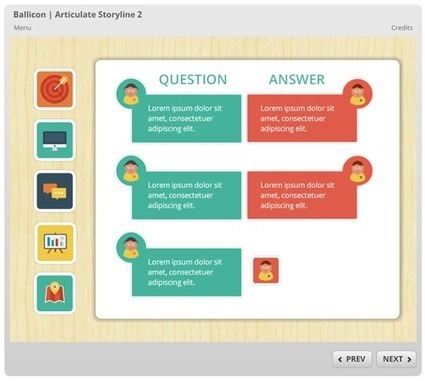
Here are some tips and tricks on how to use free icons to create your own e-learning template. There’s also a couple of free e-learning templates to help.See it on Scoop.it, via TIC & Educación
Continuar leyendo: Here’s a Free E-Learning Template Made with Free Icons
Fuente: Tic&Educación
How To Use Google Forms In eLearning. Check 7 Tips To Use Google Forms In eLearning.See it on Scoop.it, via TIC & Educación
Continuar leyendo: 7 Tips To Use Google Forms In eLearning
Fuente: Tic&Educación

Last night I posted a chart comparing the features of five free multimedia timeline creation tools. Thanks to a comment by Robert McNulty on the FreeTech4Teachers Facebook page I learned about a fantastic new timeline creation tool. HSTRY is a multimedia timeline creation tool that will work on your laptop, Chromebook, iPad, or tablet.See it on Scoop.it, via TIC & Educación
Continuar leyendo: HSTRY – Create Multimedia Timelines in an Online Classroom
Fuente: Tic&Educación
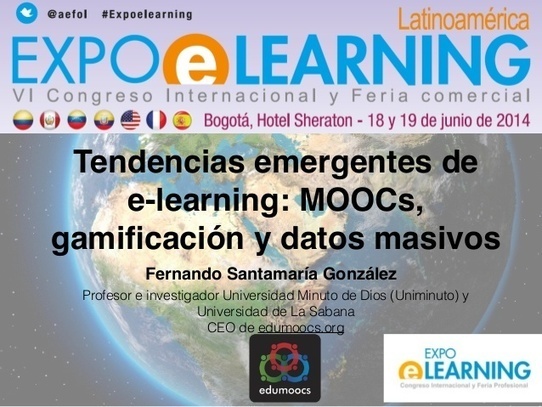
Presentación en Expolearning 2014 Bogotá hablando de algunos conceptos claves y tendencias en educación como los MOOC, Big Data y gamificación.See it on Scoop.it, via Recull diari
Continuar leyendo: Tendencias emergentes de #elearning: #MOOCs, gamificación y datos masivos.
Fuente: Recull Diari

In this article, I’ll highlight the many ways that you can use Google Sites to enhance the overall educational experience for your learners. I will also share some practical tips on how to get the most out of this user-friendly, but highly effective, eLearning tool.See it on Scoop.it, via TIC & Educación
Continuar leyendo: 7 Tips To Use Google Sites In eLearning
Fuente: Tic&Educación
In this article, you will find 10 Free Camtasia Studio 8 Video Tutorials centered around the advanced features and techniques that Camtasia Studio 8 offers. Camtasia Studio 8 is among the top eLearning Authoring Tools because it is powerful and easy-to-use, and it allows you to create your own videos even you have no such prior experience!See it on Scoop.it, via TIC & Educación
Continuar leyendo: 10 Free Camtasia Studio 8 Video Tutorials About Editing
Fuente: Tic&Educación
eXeLearning contenidos educación blogSee it on Scoop.it, via TIC & Educación
Continuar leyendo: Blogs y eXeLearning:
Fuente: Tic&Educación
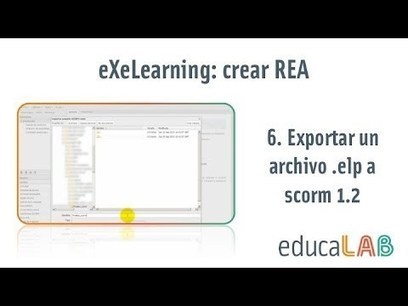
Mini tutorial 6 de una serie de 6 sobre el uso de la herramienta eXeLearning. Cursos de Recursos Educativos Abiertos del INTEFSee it on Scoop.it, via TIC & Educación
Continuar leyendo: eXeLearning. Exportar un archivo .elp a scorm 1.2
Fuente: Tic&Educación
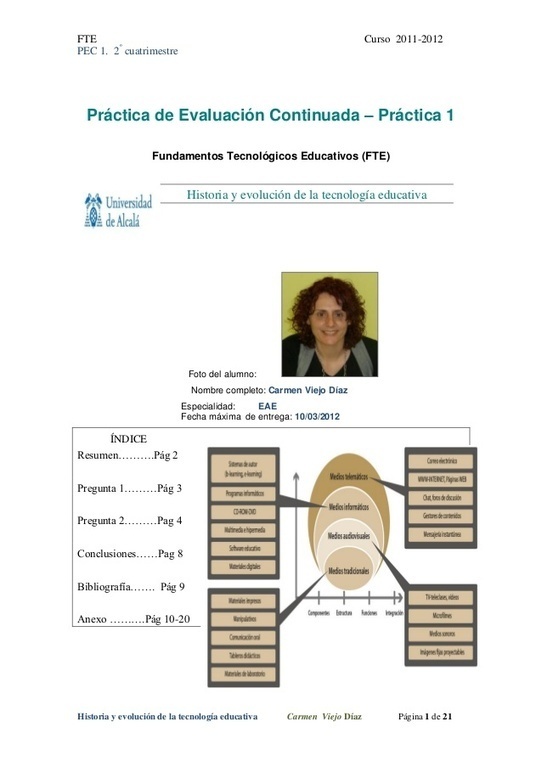
FTE Curso 2011-2012 PEC 1. 2º cuatrimestre Historia y evolución de la tecnología educativa Carmen Viejo Díaz Página 1 de 21 Práctica de Evaluación Continuad…See it on Scoop.it, via Recull diari
Continuar leyendo: Historia y Evolución de la Tecnología Educativa.
Fuente: Recull Diari
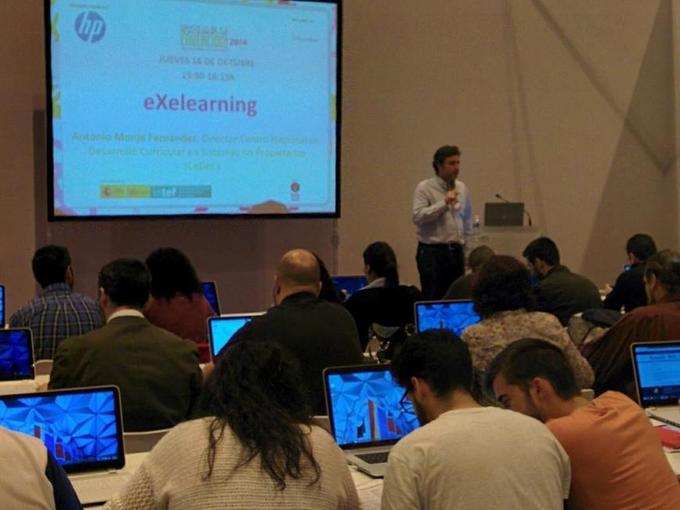
Descripción del taller de eXeLearning realizado en SIMO Educación 2014 en donde a través de la idea de REA se muestran las funcionalidades de eXeLearning 2.0See it on Scoop.it, via TIC & Educación
Continuar leyendo: SIMO educación, eXeLearning.net y los 45 minutos
Fuente: Tic&Educación
This article offers a look at Top 10 tips to use word clouds in your eLearning deliverables. I’ll share just a handful of the many ways that word clouds can help to motivate learners, prevent cognitive overload, and simplify even the most complex eLearning courses.See it on Scoop.it, via TIC & Educación
Continuar leyendo: Top 10 Tips to Use Word Clouds in eLearning
Fuente: Tic&Educación
In this article, I’ll highlight the top 10 tips on how to make the most out of mind mapping tools. I’ll share how mind maps have the potential to transform any eLearning course or module into an aesthetically pleasing and powerful eLearning experience.See it on Scoop.it, via TIC & Educación
Continuar leyendo: Top 10 Tips to Use Mind Mapping Tools in eLearning
Fuente: Tic&Educación
El proceso será sencillo. Accedemos a Slideshare y buscamos el recurso a embeber. Copiamos el código que se ofrece en el botón “Embed”.Una vez en eXeLearning, al editar cualquier iDevice, utilizaremos el botón de “Pegar fragmento de HTML (Código embebido)”, pegamos el código copiado y tendremos embebido nuestra presentación de Slideshare.See it on Scoop.it, via TIC & Educación
Continuar leyendo: eXeLearning. Embeber presentación Slideshare
Fuente: Tic&Educación

How To Create eLearning Videos. 3 Easy Methods to Create eLearning Videos.See it on Scoop.it, via Recull diari
Continuar leyendo: 3 Easy Methods to Create eLearning Videos – eLearning Industry
Fuente: Recull Diari