Archivo de la Categoría ‘Anotar PDF’

A Handy Google Drive Tool for Annotating PDFs

Notable PDF is a useful tool to use for viewing and annotating your PDFs. Notable PDF works with Google Drive and is also accessible offline. You can use it to view PDF files on your browser. You can easily highlight text, add comments, underline or strikethrough text and instantly share your PDF files with your colleagues and collaborators.See it on Scoop.it, via TIC & Educación

Continuar leyendo: A Handy Google Drive Tool for Annotating PDFs

Fuente: Tic&Educación

Some Very Good Chrome Tools to Annotate and Edit PDFs

PDFs (portable document formats) are probably the most popular document format we use in our daily work as teachers and educators. As such, we deemed it important that we share with you this list of some interesting tools to help you do more with your PDF files. These Chrome apps will allow you to edit, annotate, convert, view, fill forms and share PDFs. Some of these add-ons (such as the first two in this list) are …

Continuar leyendo: Some Very Good Chrome Tools to Annotate and Edit PDFs

Fuente: Tic&Educación
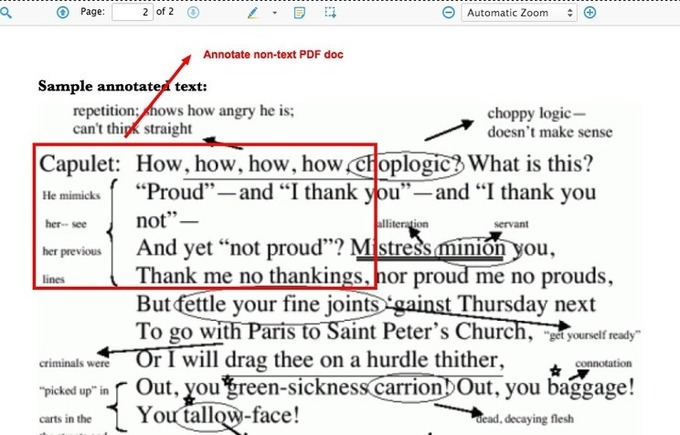
Annotating PDF Docs with Diigo  

There are two different methods with which you can annotate a PDF doc with Diigo. (If you don’t want to read the tutorial, try the PDF annotation feature directly.) Mehtod 1: Annotate a PDF doc …See it on Scoop.it, via TIC & Educación

Continuar leyendo: Annotating PDF Docs with Diigo  

Fuente: Tic&Educación