Archivo de la Categoría ‘google drive’

Excellent Google Drive Resources for Teachers
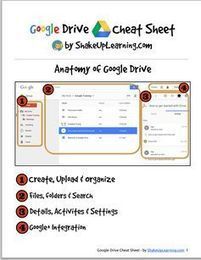
On the occasion of the first back-to-school week, I compiled this list of excellent resources to help teachers make the best of Google Drive in their classrooms. I firmly believe that Google Drive is one of the elemental web tools with huge educational potential that every teacher should be able to tap into. However, the thing with so many of Google’s services is that their power and usefulness lies in their hidden features. The resources below cover …

Continuar leyendo: Excellent Google Drive Resources for Teachers

Fuente: Tic&Educación

This is How to Grade Students Work on Google Drive

Goobric is an interesting Chrome extension that allows teachers to easily grade students work by using rubrics. Goobric helps you grade any work that is created and delivered through one of Google Drive’s services ( documents, Presentations, Spreadsheets, Folders, etc). Up to now, Goobric supports only works created via the Doctopus Scriptwhich is a “a tool for differentiating, grouping, distributing and managing student projects in google Drive. Doctopus is available from any Google Spreadsheet from the…

Continuar leyendo: This is How to Grade Students Work on Google Drive

Fuente: Tic&Educación
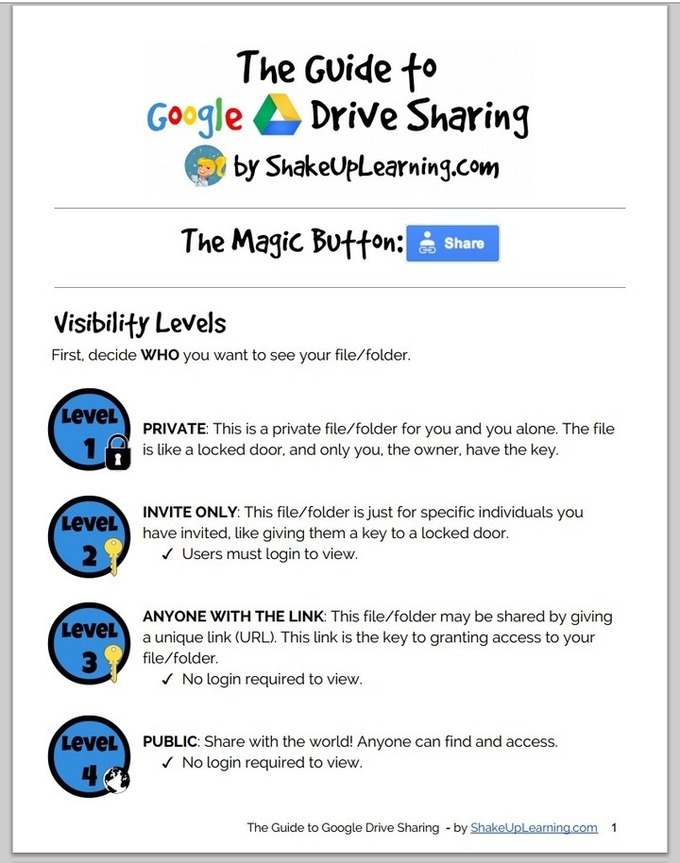
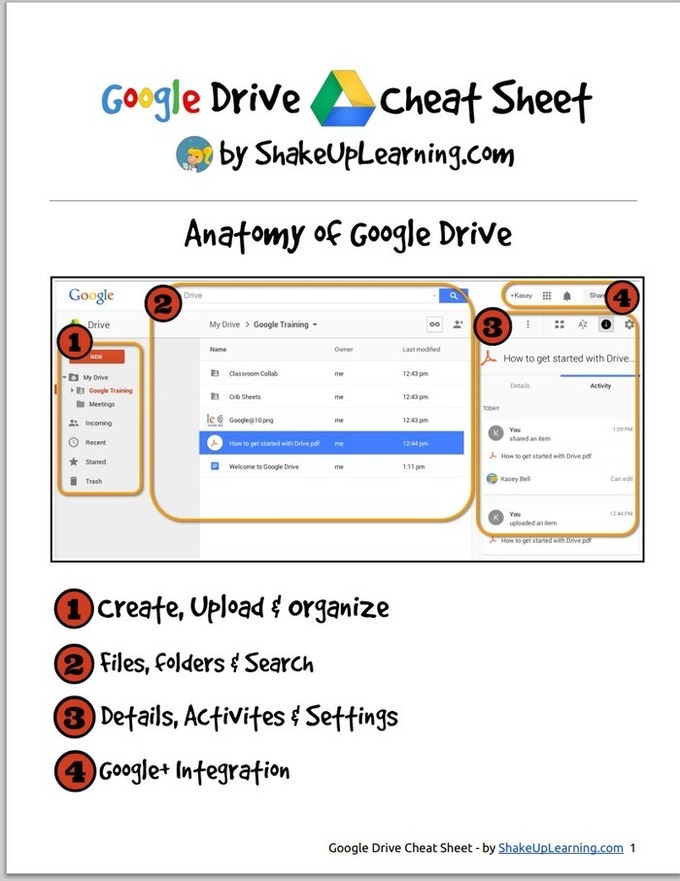
Teachers Visual Guide to Google Drive Sharing

To help teachers master Google Drive , I started sharing here a series of posts in which I feature guides, tutorials, tips and tricks that I would across in my browsing errands. After sharing the new Google Drive cheat sheet, today I am featuring another wonderful short visual guide created by Shake Up Learning ( one of my favourite EdTech blogs). In this guide teachers will learn about the basics of sharing on Google Drive. This Guide is available for…

Continuar leyendo: Teachers Visual Guide to Google Drive Sharing

Fuente: Tic&Educación

Conoce a los usuarios que acceden a tus documentos en Drive

Google Drive es una excelente herramienta de almacenamiento en la nube que tiene soporte para el uso compartido de material en la red. Esta función es lo que permite tener un historial de uso de los datos gracias a la aplicación WhoHasAccess.See it on Scoop.it, via TIC & Educación

Continuar leyendo: Conoce a los usuarios que acceden a tus documentos en Drive

Fuente: Tic&Educación

9 complementos para Google Drive

Google Drive es uno de los mejores servicios de almacenamiento web… pero con algunas herramientas extras, puede ser muchos más. Os ponemos algunos ejemplos.Gumersindo Fernández’s insight:Drive NotepadSave Text to Google DriveVoiceRecognitionPDFZenHelloFaxDriveTunesWeVideoLucidchartCloud KiteSee it on Scoop.it, via TIC & Educación

Continuar leyendo: 9 complementos para Google Drive

Fuente: Tic&Educación

Google mejora la presentación de documentos y hojas de cálculo

Google mejora la presentación de sus Documentos, Slides y Hojas de Cálculo. Los sitios para hallar el material publicado en Google Drive muestran la vista previa de los documentos.See it on Scoop.it, via TIC & Educación

Continuar leyendo: Google mejora la presentación de documentos y hojas de cálculo

Fuente: Tic&Educación
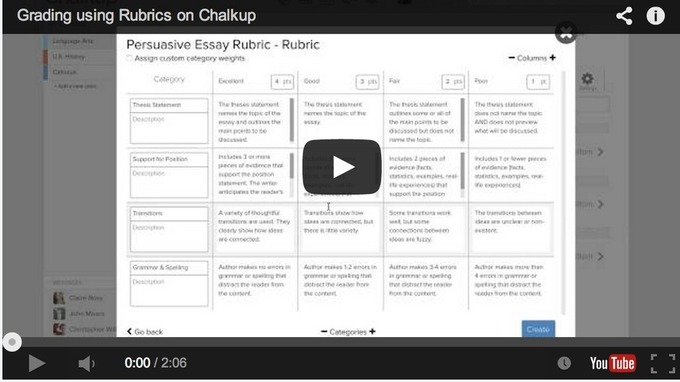
Rubrics to Help You Grade Students Assignments on Google Drive

Chalkup is a great web tool that allows teachers to create classes and share different study materials on a message board that students can access in real-time. Chalkup lets you post discussion prompts, add comments to discussions, distribute announcements and assignments and view files.See it on Scoop.it, via TIC & Educación

Continuar leyendo: Rubrics to Help You Grade Students Assignments on Google Drive

Fuente: Tic&Educación

All The New Google Drive Updates Teachers Should Know about

Google has recently released some important updates to its Google Drive. I have already covered each of these updates in separate posts but for those of you who haven’t seen them yet, the list below aggregates all of these updates in one single place.See it on Scoop.it, via TIC & Educación

Continuar leyendo: All The New Google Drive Updates Teachers Should Know about

Fuente: Tic&Educación

New Google Drive Tip- Publish Google Docs As Web Pages

Here is another handy Google Drive tip that is often overlooked by many teachers. Did you know that you can publish a Google Doc, presentation or sheet as a web page? Yes you can write a document or create a presentation and share it as a web page that students can access using the URL you share with them. Here is how to do it:Open the document you want to publish as a web page…

Continuar leyendo: New Google Drive Tip- Publish Google Docs As Web Pages

Fuente: Tic&Educación
This Is How to Create Videos in Google Drive (WeVideo)

This week’s tip for teachers is about creating videos in Google Drive. As you know, since the time Google made it possible to integrate third party apps into Google Drive, there appeared a wide variety of excellent applications that are deemed to enhance the overall performance of your Drive . One of the essential apps that I think every teacher should connect with Google Drive is called WeVideo.See it on Scoop.it, via TIC &

Continuar leyendo: This Is How to Create Videos in Google Drive (WeVideo)

Fuente: Tic&Educación

Handy Google Drive Tip for Teachers- Moving Docs to Multiple Folders

Here is an excellent Google Drive tip I learned today from Shake Up Learning. As much as I love Google Drive and spend so much time discovering its hidden tricks and features I must say that this new tip has completely taken me by surprise and I am not sure how I missed it.See it on Scoop.it, via TIC & Educación

Continuar leyendo: Handy Google Drive Tip for Teachers- Moving Docs to Multiple Folders

Fuente: Tic&Educación
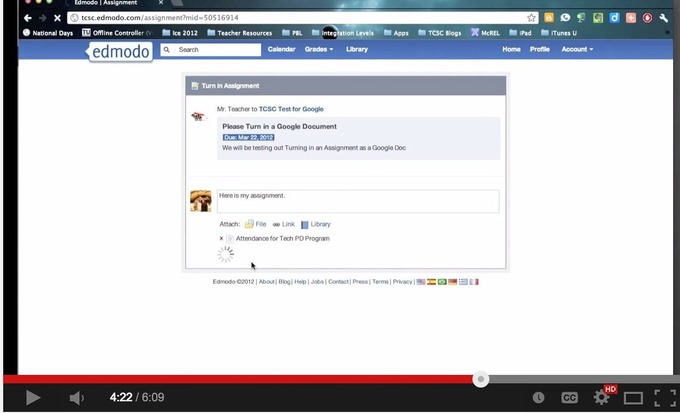
This is How to Use Google Drive with Edmodo to Share Docs and Assignments with Students

During a workshop I facilitated today in university, I was surprised to find out that several teachers did not know that Google Drive is integrated with Edmodo so I thought to write about it here , probably some of you don’t know about it either. The integration of Google Drive with Edmodo allows you to sync the content of your Drive with your Edmodo library so you can easily access and share your docs, files and folders with your Edmodo …

Continuar leyendo: This is How to Use Google Drive with Edmodo to Share Docs and Assignments with Students

Fuente: Tic&Educación

Cómo crear enlaces para descargar archivos en Blogger

Muchos usuarios de Blogger se plantean la posibilidad de complementar su Blog con la posibilidad de ofrecer descarga de archivos con información suplementaria a sus contenidos. Desde recetas a manuales de instrucciones, cursos, fotografías, poesías, escritos… las posibilidades de ofrecer a tus seguidores un valor añadido que pueda serles útil siempre ofrece muy buenos resultados.Vamos a ver con esta guía paso a paso cómo podemos complementar a Blogger con …

Continuar leyendo: Cómo crear enlaces para descargar archivos en Blogger

Fuente: Tic&Educación
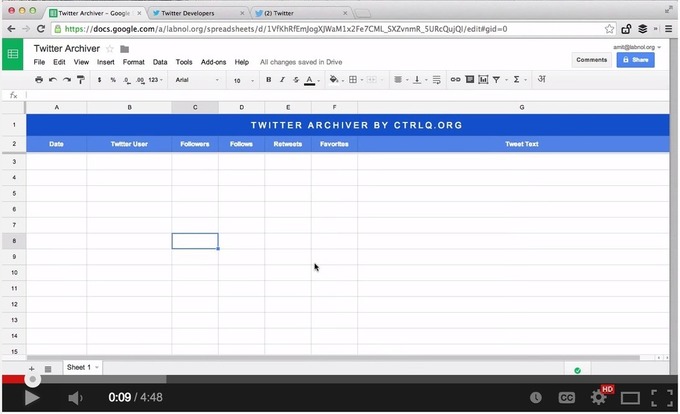
Easy Way to Import and Save Tweets and Hashtags into Google Drive

Here is a practical and easy way to save tweets related to a particular search term or hashtag into a single Google Sheet. You can then download this sheet in Word or PDF format or even publish it as an HTML web page. This little hack by Digital Inspiration is ideal for teachers using Twitter to grow professionally. Now if you don’t have time to take part in the weekly education chats taking place on Twitter, you can simply…

Continuar leyendo: Easy Way to Import and Save Tweets and Hashtags into Google Drive

Fuente: Tic&Educación
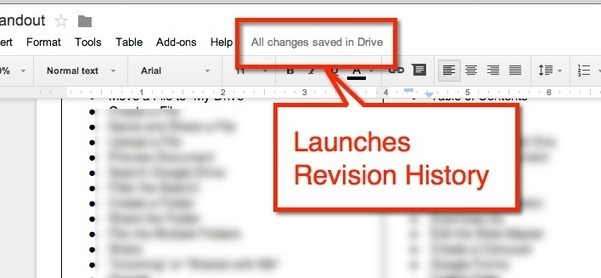
Google Doc Tip: Find Revision History

If you are using Google Docs, Sheets, Slides or Draw you will notice next to the menu options is a message letting you know that your document is saved in Google Drive.See it on Scoop.it, via TIC & Educación

Continuar leyendo: Google Doc Tip: Find Revision History

Fuente: Tic&Educación

New Google Drive: Setting Your Upload Options

In the new Google Drive it is more obvious how you can upload files. Click on “New’ and choose “File upload.” Alternatively, you can simply drag the files right into Google Drive if you are using Google Chrome.See it on Scoop.it, via TIC & Educación

Continuar leyendo: New Google Drive: Setting Your Upload Options

Fuente: Tic&Educación