
Soluciones y recursos de Microsoft en Educación
 Enseñar a los profesionales las habilidades del siglo XXI supone innovar para adaptar la clase a las nuevas formas en las que los alumnos aprenden, colaboran e interactúan con los demás. Este cambio requiere nuevas experiencias de aprendizaje, dentro y fuera del aula. Microsoft ofrece su abanico de herramientas y dispositivos como clave para la transformación e innovación educativas. El modelo que debe estar presente en una escuela innovadora debe ser ágil, flexible y estar en sintonía …
Continuar leyendo: Soluciones y recursos de Microsoft en Educación
Fuente: Educaciontrespuntocero.com
 12 Principles Of Mobile Learning by Terry Heick Ed note: This post has been updated and republished from a 2012 post Mobile Learning is about…See it on Scoop.it, via TIC & Educación
 Over the weekend I posted a note on the Free Technology for Teachers Facebook page about using voice typing in Google Documents. There were a lot of questions posted about how to access and use the voice typing feature in Google Documents. To address those questions I created the short video that is embedded below.See it on Scoop.it, via TIC & Educación
 See it on Scoop.it, via TIC & Educación
 Last week Google finally made their popular Keep app available on iPhones and iPads. Keep is a great little app for creating task notes and reminders. You can even create notes in your web browser on your laptop and have them synchronize with the notes on your mobile device. In the video embedded below I demonstrate how to use the web version of Google Keep.See it on Scoop.it, via TIC & Educación
 Take notes that are link back to the appropriate place in the videos and are collected into one central place.See it on Scoop.it, via TIC & Educación
 MoocNote is a free tool for adding timestamped comments, questions, and links to videos. To do this on MoocNote you simply paste a link to a YouTube video into the MoocNote editor. Once the video is imported you can start to add your comments, questions, and links. The link features is particularly useful for providing students with additional resources for learning about the topics covered in your shared videos. MoocNote allows you to organize playlists (MoocNote …
 Public Boards of Note Board.Productivity app. Save information like a sticky notes. Share boards with your friendsSee it on Scoop.it, via TIC & Educación
 Los dispositivos móviles como las tabletas, ya no son una novedad ni un elemento recreativo de nuestra sociedad. Las tabletas, Teléfono celulares, Notebook, entre otros, son parte de nuestra cotidianidad y su uso ha sido formalizado como herramienta de trabajo y para solucionar problemas en cualquier actividad diaria. En educación están jugando un papel importante gracias a su fácil manipulación, portabilidad y bajo costo comparado con los computadores tradicionales.See it on …
 Una tableta con Android que busca el máximo rendimiento y que tiene unos accesorios ideales para el entorno educativo. Así es HP Pro Slate 12. Apuesta por el rendimiento HP Pro Slate 12 es un tablet que integra una pantalla de 10 pulgadas con calidad Full HD. Pese a que funciona con sistema operativo Android en su versión 5.0, está especialmente pensada para trabajar con ella, tal y como muestra la integración de un procesador Qualcomm Snapdragon 800 y sus 2 Gb de memoria RAM. …
 Sidetones is an excellent web tool for annotating web pages. It allows you to add notes to any web page without having to switch tabs or use a third party platform. With a simple click, a new sidebar will open up next to the page you are browsing where you can add and edit your notes.See it on Scoop.it, via TIC & Educación
 After yesterday’s post about making the most of Google Keep I received a few emails from readers wanting to know a bit more about how Google Keep works. To answer those questions I recorded the short video that you see embedded below (click here if you cannot see the video).See it on Scoop.it, via TIC & Educación
 Not everyone uses Google Chrome as their browser of choice, some can’t install it, others can’t get on with it and there are probably a few who still do not realise it exists. Whilst Chrome has a wealth of good reasons why you should use it, from syncing your accounts across devices to its search functionality; there are other reasons why you should consider Chrome. These are called extensions which you can install to improve…
 Aprende a crear material didáctico con las libretas de Evernote y compartirlas con tus estudiantes de forma efectiva.See it on Scoop.it, via TIC & Educación
 In response to requests from some of our readers here in EdTech & mLearning, we have curated this list featuring 10 Android apps for taking notes. The titles included here are among the best and most popular apps in this category. Again, our review criteria are based primarily on things such as users feedback, number of installs, and content rating.Some of the things you can do with the apps below include: capture a quick note, create reminders for…
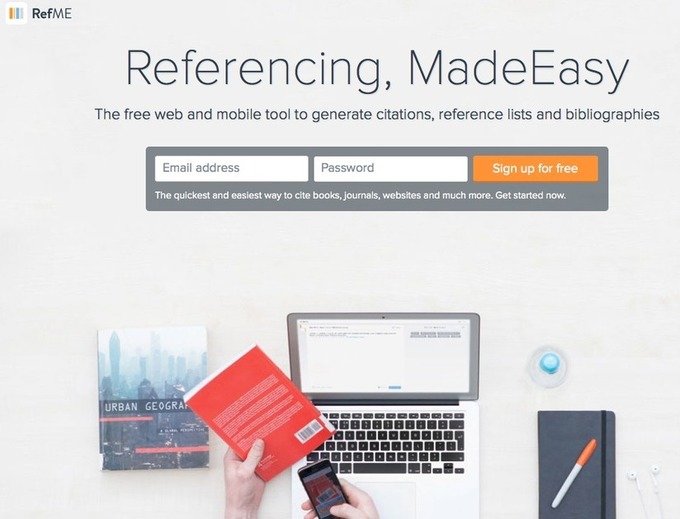 RefMe es una aplicación para crear bibliografías de forma sencilla. Es tan sencillo como escanear el código de barras del libro y la aplicación incluirá los datos bibliográficos dentro de nuestra cuenta. También permite incluir de manera correcta los datos de las páginas web utilizadas. Una vez agrupadas e incluidas las referencias bibliográficas, la aplicación nos permite exportarlas a Word, Evernote, enviarlas por email, etc.See it on Scoop.it, …
 If you’re rolling a course over year to year or semester to semester and want to remove user data and all interactions, you can quickly do this using Moodle’s Reset feature which will do all the housecleaning for you). Note that if you need to save user data or provide students access indefinitely to their progress and grades (which are not captured elsewhere) then you’ll probably want to use backup and restore to create a new fresh …
 Bunkr ¿por qué seguimos utilizando PowerPoint o Keynote para nuestras presentaciones cuando muchos profesionales podemos mejorar nuestras presentaciones?See it on Scoop.it, via TIC & Educación