
Frases con estilo – Notegraphy
 Doy título así a este artículo jugando con el doble sentido de la propia frase pero es que, en definitiva, eso es lo que puedes hacer con la aplicación que te presento en esta ocasión.Soy fan de Notegraphy desde el primer día que la utilicé.Aún así tiene pegas… bueno una pequeñita que os contaré en un momento.Podríamos decir que Notegraphy es un servicio de creación de pósters en línea que cuenta con aplicación gratuita …
Continuar leyendo: Frases con estilo – Notegraphy
Fuente: Enlanubetic.blogspot.com
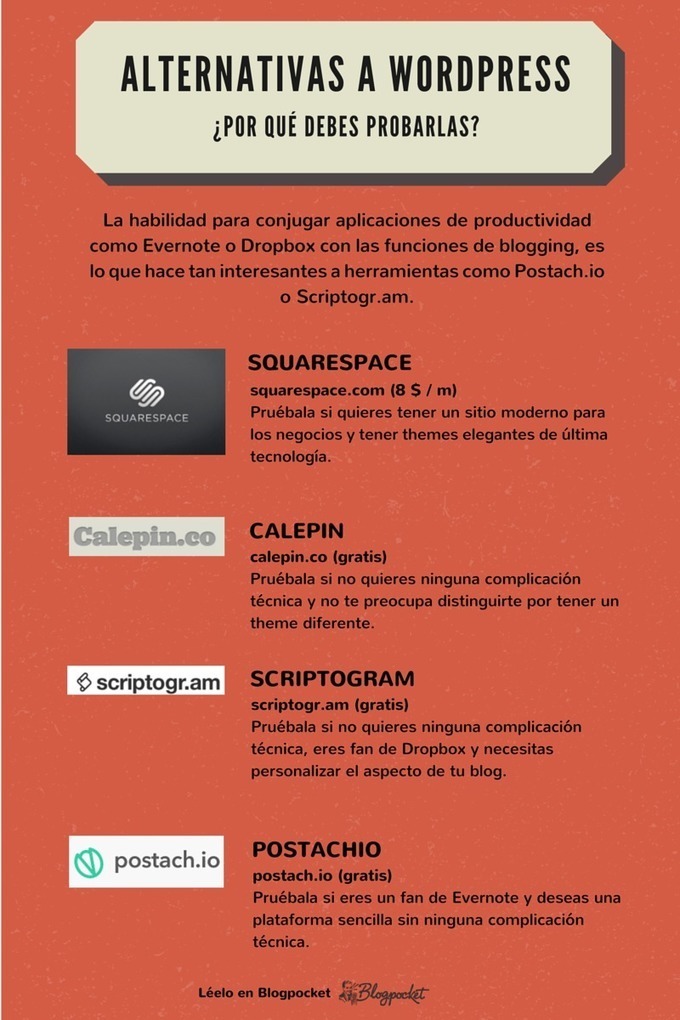 En este artículo se recopilan las mejores alternativas a WordPress. Para tener un blog no es necesario utilizar ninguna plataforma complicada. De hecho, se puede tener un blog sin ni siquiera bases de datos, empleando Evernote y un sistema minimalista llamado Postach.io.See it on Scoop.it, via TIC & Educación
 flippeCreating flipped video lessons is one of the topics that I frequently receive questions about in my email inbox. I’ve started putting together some videos about how to use various tools for creating and sharing flipped video lessons. In the videos embedded below I demonstrate how use EduCanon, VideoNotes, EDpuzzle, Versal, and Otus to create and distribute flipped video lessons.See it on Scoop.it, via TIC & Educación
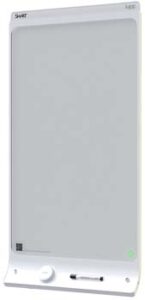 Una de las soluciones más destacadas que presentó SMART en BETT 2015 fue SMART kapp. Se trata de una pizarra blanca electrónica de 42 pulgadas sobre la que se puede escribir con rotuladores de borrado en seco y que transfiere al instante el contenido escrito a cualquier dispositivo móvil que disponga de la aplicación SMART kapp. Así, desde el dispositivo que ha recibido la información, se puede compartir el contenido, en forma de imagen o PDF, con …
 See it on Scoop.it, via TIC & Educación
 One of the best things about Twitter is the wealth of links that teachers share with each other. It can be hard to keep track of all of the links that you might find while watching a hashtag like #edchat or #edtechchat. I tend to open a link then bookmark it with Evernote’s web clipper. My process involves opening a link in a new window then bookmarking it. It’s not the most efficient process, but it works for…
 In yesterday’s post about creating digital records of physical items I mentioned using Skitch to take pictures and annotate them. One of the things about Skitch that I failed to mention in that post is that along with drawing and typing on a picture you can crop and blur items in a picture.See it on Scoop.it, via TIC & Educación
 See it on Scoop.it, via Recull diari
 Nueva entrada sobre la gamificación y su aplicación en el mundo docente. En este caso destaco el blog de “Bitelia” y el post realizado por Nasheli Escobar. Si dudabas sobre la utilidad de la gamificación con este post dejarás de tener esas dudas y lo aplicarás en tus clases. Aquí os lo dejo. La gamificación es una forma de incorporar estrategias de juego que pueden apoyar y motivar el trabajo de estudiantes y maestros en …
 On connaît bien la prise de notes manuscrites, mais on aurait intérêt à mieux connaître la carte conceptuelle, surtout en milieu universitaire, puisqu’elle nous permet d’avoir en un seul coup d’oeil un chapitre, un article scientifique, un concept difficile à cerner, le plan d’un travail à remettre, d’un exposé à présenter, etc. Le logiciel CmapTools permet de le faire efficacement.http://www.scoop.it/t/classemappingSee it on Scoop.it, via Recull diari
 High quality images don’t need to cost an arm & a leg. These sites offer images that are free to use for personal or commercial use! Just be sure to pay attention to copyright licensing for each. Most are CC0, but not all. We’ve made note of how each of these sites can be browsed (how & if they are searchable). Searchable is great if you know what you’re looking for. Sites that are not searchable, while time consuming, …
 I’ve written about Padlet a lot over the years because of its flexibility to fit into a lot of classroom situations. One of the ways that you can use Padlet is to have students collaboratively create multimedia KWL (Know, Want, Learn) charts. To provide students with guidance on where to place their notes, I use a custom background on Padlet. The background is a just a screenshot of a three column page that I make in Google Documents (any…
 In a recent post I shared here a few days ago, I featured 10 effective ways teachers can leverage the power of Twitter to grow professionally. However, today as I was wading through my Pinterest feeds I stumbled upon this beautiful sketchnote from Langtwiches on the same topic I covered in the aforementioned post: Twitter for professional development. I liked this sketchnote and decided to share it with you. You can also check this Pinterest board for …
 En los cursos online en competencias digitales que imparto, los alumnos plantean con frecuencia sus dudas y dificultades en el foro.Como es más sencillo comprender visualizando una imagen o un vídeo, en vez de leer un párrafo árido con sólo instrucciones, utilizo las siguientes herramientas, la mayoría gratuitas, para ofrecerles un aprendizaje más cómodo. Igualmente reduzco de esta manera las idas y venidas de preguntas dadas las posibles interpretaciones que…
 Tanto en nuestra vida profesional, como personal, muchas veces nos vemos en la necesidad de tomar notas cortas, y que estas se sincronicen en todos los dispositivos que utilicemos.Hasta ahora usaba Evernote, que es buena para muchas cosas, pero que encuentro demasiado pesada para tomar notas rápidas de forma ágil. Además, en ocasiones, me daba errores en la sincronización y me duplicaba algunas notas.Google Keep cumple a la perfección este cometido. Es multiplataforma, …
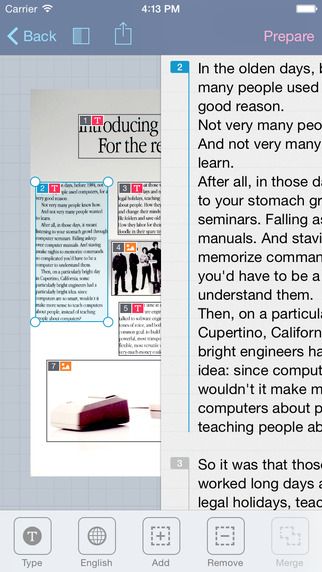 Os mostramos una selección con las apps educativas más destacadas de la segunda parte del mes de noviembre. Compatibles con iPad y/o tabletas Android, según la aplicación, ayudan a organizar la clase, enseñan el valor de la superación a l@s niñ@s o ayudan a explorar el cielo desde otra perspectiva. Prizmo Esta app es realmente interesante, aunque algo cara (8,99 euros en iTunes; al 50% de descuento actualmente por el Black Friday). Su funcionalidad …
 Movenote y present.me son don herramientas que permiten crear presentaciones para tu flipped classroom, combinando la grabación con la webcam mientras tú explicas el tema y un material como una presentación de Drive. Este infográfico presenta una comparación de las funciones que ofrece cada una de ellas:See it on Scoop.it, via TIC & Educación
 YouTube has a built-in tool for adding annotations to videos that you own. Open the video editor in your YouTube account and you can add notes, including notes with hyperlinks to other videos, to your videos. Directions for that process are available here.See it on Scoop.it, via TIC & Educación
 Una lista con 5 herramientas para añadir preguntas y notas a los videosGumersindo Fernández’s insight:1. YouTube2.- VideoANT3.- eduCanon4.- VideoNotes5.- BlubbrSee it on Scoop.it, via TIC & Educación
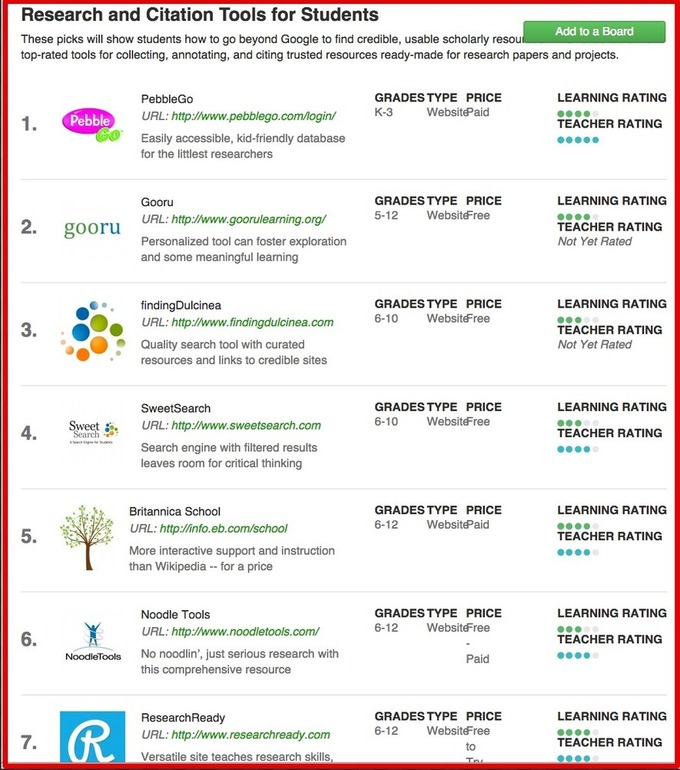 12 Helpful Tools for Research and Citations” is an excellent list created by Kira DeVaul and shared on Graphite. This list comprises a number of useful web tools that can help students during their research. As a process, research is made up of different interconnected stages: The first phase is the search for information, reading sources and taking notes, doing the write up and creating a bibliography for references. Kira’s list provides web tools that students can draw on when working…