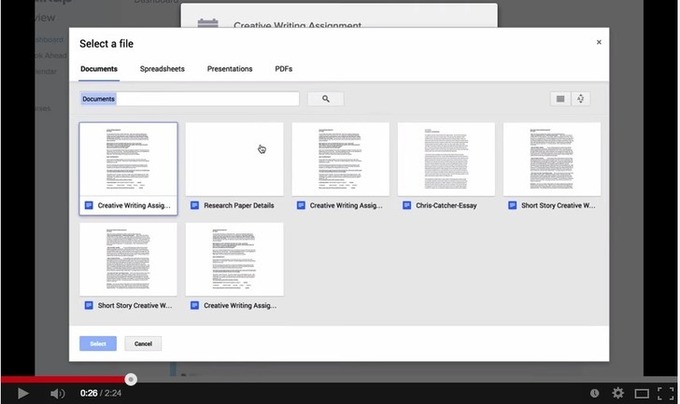
Artículos con la etiqueta ‘ted’

Pixlr- A Great Google Drive Tool for Editing Pictures

Pixlr Editor is a great photo editing tool that you can use to work on the pictures and images you want to use with your students or in your presentations. Pixlr is easy and simple to use and works right from your web browser. It is also integrated with Google Drive.See it on Scoop.it, via TIC & Educación

Continuar leyendo: Pixlr- A Great Google Drive Tool for Editing Pictures

Fuente: Tic&Educación

Chalkup- A Wonderful Google Drive Tool for Teachers

I just learned through an email from Justin Chando about this interesting update to Chalkup. The folks in Chalkup have finally made the move to Google Drive and created a seamless integration of Chalkup with Google Drive. Chalkup is a great web tool that allows teachers to create classes and share different study materials on a message board that students can access in real-time.See it on Scoop.it, via TIC & Educación

Continuar leyendo: Chalkup- A Wonderful Google Drive Tool for Teachers

Fuente: Tic&Educación

The Best Augmented Reality Apps to Use with Students (Accompanied with Tutorials and Lessons)

Here is a handy chart I stumbled upon today through a Google Plus post from Shelly Terrell. The chart features several wonderful augmented reality apps to use with students in class. Each of the apps is accompanied with the following: a tutorial explaining it, an example of a lesson where the app is being used, and further activities covering other uses of the app.See it on Scoop.it, via TIC & Educación

Continuar leyendo: The Best Augmented Reality Apps to Use with Students (Accompanied with Tutorials and Lessons)

Fuente: Tic&Educación
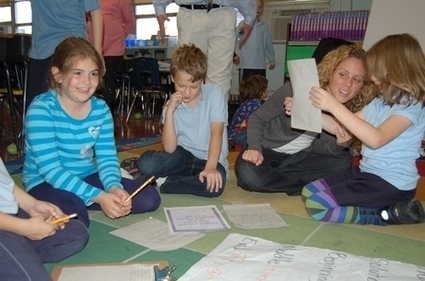
Shaking Up The Classroom

For the second year running, a 3rd Grade teacher at the Patricia A. DiChiaro School in Westchester, NY, used Shake-a-Phrase for a Halloween creative writing exercise in her classroom. Mrs. Colacicco, shook up a bunch of Monster-themed Story Starters, printed the individual Starter screens, and engaged her class in a collaborative writer’s workshop. Using the story prompts, the students worked together in groups of 2-3, to imagine and write their own creepy and silly…

Continuar leyendo: Shaking Up The Classroom

Fuente: Aprender y Educar

Awesome Chart Comparing Traditional Versus 21st Century Learning

This chart is created by Like to Write which has two interesting resources: liketowrite.com and liketoread.com . See it on Scoop.it, via TIC & Educación

Continuar leyendo: Awesome Chart Comparing Traditional Versus 21st Century Learning

Fuente: Tic&Educación
How to Create Online Collaborative Whiteboards

Stoodle is a free online collaborative whiteboard tool hosted by CK12. On Stoodle you can create a whiteboard space and invite others to use it with you. Registration is not required in order to use Stoodle. In the video embedded below I demonstrate the features of Stoodle.See it on Scoop.it, via TIC & Educación

Continuar leyendo: How to Create Online Collaborative Whiteboards

Fuente: Tic&Educación
60 Videos of Practical Ed Tech Tips

Last fall I started to put together a playlist of how-to videos that I have created. I called the playlist Practical Ed Tech Tips. In the videos I provide demonstrations of how to use some of my favorite educational technology tools and services. There are now 60 videos in the playlist and I plan to continue to add to the playlist. In the playlist you will find videos on things like creating custom columns on Padlet, finding Creative …

Continuar leyendo: 60 Videos of Practical Ed Tech Tips

Fuente: Tic&Educación
What teachers can and can’t do on Google Classroom

Are you still wondering what Google Classroom is all about and whether you should start using it or not? This video explanation created by Amy Mayer is a definitely a must watch. Amy provides a concise overview of the current features of Google Classroom. She started with the things you can do with Google Classroom and used some examples of how teachers are implementing it in their classrooms; how it is used for assignments, how it…

Continuar leyendo: What teachers can and can’t do on Google Classroom

Fuente: Recull Diari

Google Drive: Clean Out Your Trash

When you delete files in Google Drive they go to the “Trash.” The files stay in the trash until you delete them. Click on the “Trash” category on the left hand side in Google Drive. If you are like me there are thousands of files in there that you had deleted.See it on Scoop.it, via TIC & Educación

Continuar leyendo: Google Drive: Clean Out Your Trash

Fuente: Tic&Educación

The importance of Social Presence in Online Courses

People frequently criticize the online environment of being cold. They say that during online courses they feel lonely and demotivated to learn.And why is that?Studies about Social Presence might help us understand about an important aspect in online courses.See it on Scoop.it, via TIC & Educación

Continuar leyendo: The importance of Social Presence in Online Courses

Fuente: Tic&Educación

How to Use Skitch to Blur Faces and More

On Monday I wrote a short post about using Skitch to protect students’ privacy when sharing pictures of school events. A few people contacted me through the FreeTech4Teachers Facebook page for more information about how Skitch works. To answer those questions I created the video that you see embedded below.See it on Scoop.it, via TIC & Educación

Continuar leyendo: How to Use Skitch to Blur Faces and More

Fuente: Tic&Educación

Augmented Reality: 32 Resources About Using it Education

According to Webster’s Dictionary, augmented reality is “an enhanced version of reality created by the use of technology to overlay digital information on an image of something being viewed through a device (as a smartphone camera); also : the technology used to create augmented reality.” Think of it as a type of virtual reality, using the computer to copy your world. You are probably familiar with a tool created by Google which falls into this category: Google …

Continuar leyendo: Augmented Reality: 32 Resources About Using it Education

Fuente: Tic&Educación

The 5 Best Plagiarism Detection Tools for Educators

In a perfect world students would understand that education is for their benefit and put their all into every assignment. Unfortunately, every educator working today knows how far off the reality is from that ideal. Cheating isn’t just something that a few bad apples do every now and then, it proliferates. In a 2010 survey of high school students, one in three admitted to using the web to plagiarize. That makes it a problem no teacher can ignore.See…

Continuar leyendo: The 5 Best Plagiarism Detection Tools for Educators

Fuente: Tic&Educación
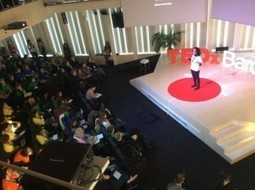
El TEDxBarcelonaED concentra el canvi educatiu en un missatge captivador

La innovació educativa s’ha citat aquest dijous a Barcelona amb el format de xerrades TED: missatges seductors i des de la pròpia experiència que inciten al canvi educatiu.See it on Scoop.it, via Recull diari

Continuar leyendo: El TEDxBarcelonaED concentra el canvi educatiu en un missatge captivador

Fuente: Recull Diari

The All New Free Flipped Teaching and Learning Resources eBook (Available on FlippedClassroomWorkshop.com)

This Updated eBook is a Structured Like a Mini Flipped Class Workshop, With Dozens of Excellent Free Resources! As I write this, the Flipped Classroom hasSee it on Scoop.it, via Recull diari

Continuar leyendo: The All New Free Flipped Teaching and Learning Resources eBook (Available on FlippedClassroomWorkshop.com)

Fuente: Recull Diari

Google Forms: Notification Rules

Depending on the data you are collecting from students you may want to receive an email when the form is submitted. At the suggestion of Ramsey Musallam I have included an anonymous honest feedback form with each lesson. Students do not always fill out the form each lesson, thus necessitating that I receive a notification when the form is submitted.See it on Scoop.it, via TIC & Educación

Continuar leyendo: Google Forms: Notification Rules

Fuente: Tic&Educación

10 sencillos pasos para convertirte en un auténtico storyteller

Según el calendario editorial, me toca escribir un post sobre «Fórmulas para practicar el storytelling». Para ayudarme, me facilitan el enlace de una publicación norteamericana que empieza diciendo If Don Draper tweeted.See it on Scoop.it, via TIC & Educación

Continuar leyendo: 10 sencillos pasos para convertirte en un auténtico storyteller

Fuente: Tic&Educación
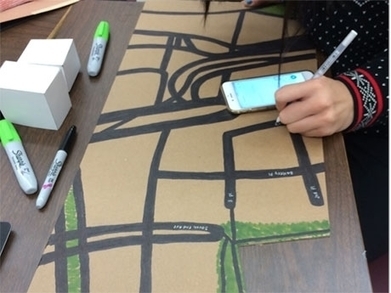
Creating an Authentic Maker Education Rubric

While many teachers are excited about the maker movement and may even be creating projects for their classrooms, assessment can be puzzling even to veteran classroom teachers. How can teachers prove that deep, rich learning is occurring through making? How do we justify a grade to students and parents alike, especially to the student who “just isn’t good at art”? By crafting a three-part rubric that assesses process, understanding, and product, teachers can …

Continuar leyendo: Creating an Authentic Maker Education Rubric

Fuente: Tic&Educación

How accessible is the Internet?

Disability. It’s the thing no one thinks about on the Internet, the issue covered least on most major news sites. It’s not just that disability is ignored or only discussed in passing or that rare coverage of disability is often filled with outdated and offensive language, themes, and attitudes; the Web itself is often entirely inaccessible to disabled people.See it on Scoop.it, via TIC & Educación

Continuar leyendo: How accessible is the Internet?

Fuente: Tic&Educación