Archivo de la Categoría ‘Compartir carpetas’

¿Cómo crear una carpeta compartida en Google Drive?

Sin embargo, no todos los servicios de este tipo ofrecen esta posibilidad. En este sentido, Google Drive lo ha implementado, y a nuestro entender es el servicio en que la característica de compartir documentos con otros usuarios se comporta de mejor manera, y además es la más sencilla y cómoda de utilizar. En este artículo encontraremos instrucciones y consejos para compartir archivos convirtiendo una carpeta privada normal en una carpeta compartida, lo que …

Continuar leyendo: ¿Cómo crear una carpeta compartida en Google Drive?

Fuente: Tic&Educación

Google Classroom: Sharing or Submitting a Google Drive Folder

When clicking on the Drive icon in Google Classroom you can search folders but you are not able to natively attach a folder.See it on Scoop.it, via TIC & Educación

Continuar leyendo: Google Classroom: Sharing or Submitting a Google Drive Folder

Fuente: Tic&Educación

Cómo compartir carpetas entre distintos sistemas operativos

Compartir carpetas en tu ordenador para poder acceder a ellas desde otros equipos es una de las formas más cómodas de mantener el acceso a tus archivos desde otros ordenadores. Te mostramos cómo configurar una carpeta compartida en tu equipo y acceder a ella desde cualquier ordenador de tu red localSee it on Scoop.it, via TIC & Educación

Continuar leyendo: Cómo compartir carpetas entre distintos sistemas operativos

Fuente: Tic&Educación

Google Drive: Do NOT Share Everything in a Folder

One trick for collaborating using Google Drive is to create a folder in Google Drive and to share the folder. Anything you put into the folder will automatically have the same sharing permissions as the folder.See it on Scoop.it, via TIC & Educación

Continuar leyendo: Google Drive: Do NOT Share Everything in a Folder

Fuente: Tic&Educación
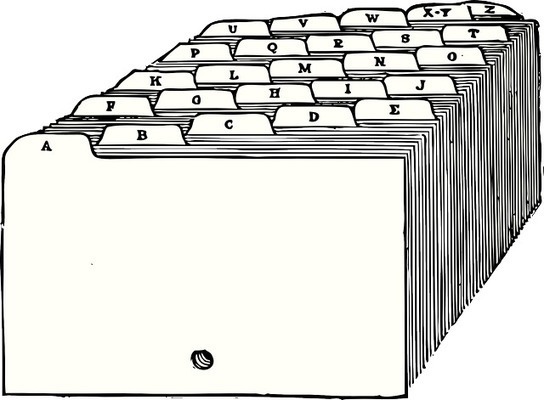
How to Share Materials By Using Files and Folders on Google Sites

Right now we tutors email our objectives to the parents which has worked well, but for families with multiple kids, they can conceivably receive 12 emails per week! I’d like to cut down on things going into their inboxes, and I was thinking there ought to be a way we tutors can upload our weekly files to one site with folders per grade level and then the parents can go to that place and grab what they need…

Continuar leyendo: How to Share Materials By Using Files and Folders on Google Sites

Fuente: Tic&Educación