Artículos con la etiqueta ‘create’

Audioboo Is Now Called audioBoom – Still the Same Great Service

The popular audio recording service Audioboo announced today that they will now be called audioBoom. You do not need to create a new account in order to continue using the service. Just as before you can create audio recordings and match them to pictures online or through the audioBoom Android and iOS apps.See it on Scoop.it, via TIC & Educación

Continuar leyendo: Audioboo Is Now Called audioBoom – Still the Same Great Service

Fuente: Tic&Educación

Using ThingLink for Powerful Professional Development

My toolkit is filled with interactive graphics I’ve created and packed with resources. I use these to successfully jump start the learning of busy educators in places near and far. I frequently update and adapt the resources in my toolkit. They grow with me.See it on Scoop.it, via TIC & Educación

Continuar leyendo: Using ThingLink for Powerful Professional Development

Fuente: Tic&Educación

A Great Tool for Creating Screencast Videos

Over the last few weeks I have published a bunch of how-to videos like this one about creating stop motion movies. I’ve had at least a handful of people ask me in emails or Tweets about the tool that I use to create those videos. I use Screencast-O-Matic to create my screencast videos.See it on Scoop.it, via TIC & Educación

Continuar leyendo: A Great Tool for Creating Screencast Videos

Fuente: Tic&Educación

Create & Curate Collections of Everyone’s Images

ThingLink channels have just gotten better! Now ThingLink users can curate and create collections of anyone’s images with a new Add to Channel button available under every public ThingLink image. This feature allows users to easily add anyone’s image to their own channel.See it on Scoop.it, via TIC & Educación

Continuar leyendo: Create & Curate Collections of Everyone’s Images

Fuente: Tic&Educación

PixTeller – Poster Maker!

Create targeted image quotes, personalized greeting cards, beautiful posters or any amazing image you wish on PixTeller.com.See it on Scoop.it, via TIC & Educación

Continuar leyendo: PixTeller – Poster Maker!

Fuente: Tic&Educación

3 Easy Methods to Create eLearning Videos

How To Create eLearning Videos. 3 Easy Methods to Create eLearning Videos.See it on Scoop.it, via TIC & Educación

Continuar leyendo: 3 Easy Methods to Create eLearning Videos

Fuente: Tic&Educación
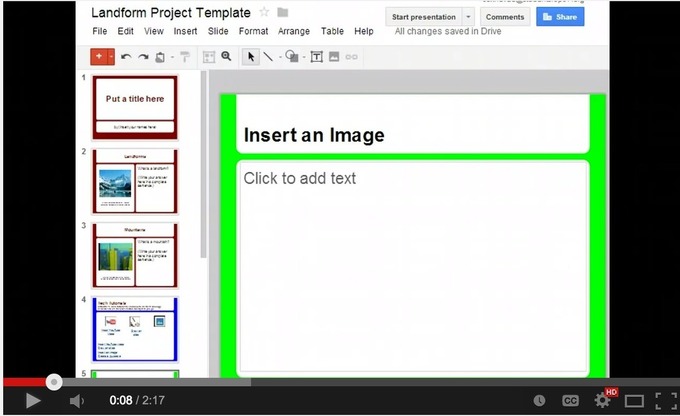
3 Things Every Student Should Be Able to Do On Google Presentation

Google Presentation is one of the powerful presentation tools that students can use to easily create and share slideshows. Its simplicity and its practical performance features makes it an ideal tool for using in class. Besides the different guides and tutorials I published on Google Presentation, today I decided to sketch out 3 main things every student should be able to do.See it on Scoop.it, via TIC & Educación

Continuar leyendo: 3 Things Every Student Should Be Able to Do On Google Presentation

Fuente: Tic&Educación

Create a Background Image or Watermark on a Google "Doc"

Currently Google text documents do not allow for a background image or watermark. Here is a work around hack.See it on Scoop.it, via TIC & Educación

Continuar leyendo: Create a Background Image or Watermark on a Google "Doc"

Fuente: Tic&Educación

Powtoon Is Giving Away Free Accounts to Teachers – Create Animated Videos Online

PowToon is a great tool for creating animated videos online. The standard free version of PowToon is fairly limited (videos are limited to 45 seconds). Currently, PowToon is giving away 50,000 classroom accounts for free. The classroom accounts include 60 student accounts that will have access to PowToon’s advanced features including longer export times.See it on Scoop.it, via TIC & Educación

Continuar leyendo: Powtoon Is Giving Away Free Accounts to Teachers – Create Animated Videos Online

Fuente: Tic&Educación

Teacher Memes

On the first day of school, instead of going over your classroom rules, why don’t you just create some memes explaining your rules. A quick and memorable way for your students to connect with routines and procedures. Either way, these are fun ways to express your sentiments.Which ones can you identify with most? Any others we should add? Check out the bottom for links to other memes, including what students typically say that drives us crazy….

Continuar leyendo: Teacher Memes

Fuente: Tic&Educación

5 Good Extensions to Enhance Your Google Drive Productivity

Since the time Google made it possible for third party developers to create extensions and add-ons compatible with Chrome and the Chrome app store is teeming with all kinds of apps. If you have a look at the Drive section in the Chrome store you will notice a multitude of apps provided there for free , however, many of these apps are not really worth installing. In this regard and if you are looking for powerful Drive extensions to maximize …

Continuar leyendo: 5 Good Extensions to Enhance Your Google Drive Productivity

Fuente: Tic&Educación

A ThingLink PD Toolkit of Resources

This summer I spent much of my work time helping educators learn to embrace the power of ThingLink as a tool for Teaching and Learning. Along the way, I created a wealth of resources using a variety of formats to accommodate the learning needs of busy teachers. The resources created have been collected and curated into one interactive image. I believe they are valuable for personal learning needs, as well as for use during professional development …

Continuar leyendo: A ThingLink PD Toolkit of Resources

Fuente: Tic&Educación

Google Drive: Collaborating with others

Google Drive has some wonderful features that enhance collaborative and group work. The video below by Andrew Boan walks you through the different collaborative features in Drive and shows you how to use each one of them. Some of the things Boan covers in this tutorial include:How to create a shared folderHow to share the folder with othersAdd a file to a shared folderUpload a file directly into the shared folderHow to create and share a…

Continuar leyendo: Google Drive: Collaborating with others

Fuente: Recull Diari

How to Use Box.com to Display PDFs in Blog Posts

From time to time I create PDFs to use in blog posts. Sometimes I do that because a PDF provides a better view of the content I’m sharing (see this post containing a chart for an example) and other times I display PDFs to make it easier for folks to print my information as I did with this post about ed tech tools that were updated this summer. I use Box.com to display PDFs in blog …

Continuar leyendo: How to Use Box.com to Display PDFs in Blog Posts

Fuente: Tic&Educación
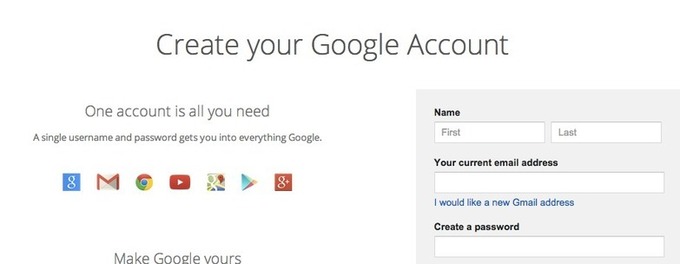
Create a Google Account Without Gmail

If you have an AOL, yahoo, or other preferred email address you are still able to obtain a Google Account without having to sign up for Gmail. See it on Scoop.it, via TIC & Educación

Continuar leyendo: Create a Google Account Without Gmail

Fuente: Tic&Educación
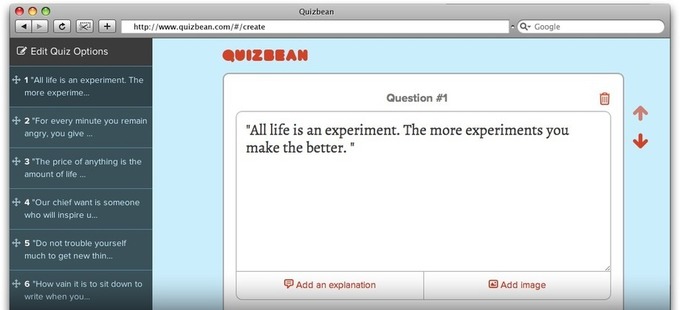
QuizBean | Crear rápidamente exámenes en línea para libre

QuizBean is the easiest way to create and share online quizzes with your friends. It’s totally free, so what are you waiting for? Make your first quiz!See it on Scoop.it, via Recull diari

Continuar leyendo: QuizBean | Crear rápidamente exámenes en línea para libre

Fuente: Recull Diari

Can I Use This Picture- A New Wonderful Flowchart for Your Class

Here is an excellent new find I want to bring to your attention in this post. This is basically a flow chart created by The Visual Communication Guy to help you make informed decisions as to the requirements to use images from the net. The flow chart proceeds in the form of question-answer and walks users through the different explanations of copyright, fair use, creative commons and public domaine.See it on Scoop.it, via TIC & Educación

Continuar leyendo: Can I Use This Picture- A New Wonderful Flowchart for Your Class

Fuente: Tic&Educación

New Google Drive Tip- Publish Google Docs As Web Pages

Here is another handy Google Drive tip that is often overlooked by many teachers. Did you know that you can publish a Google Doc, presentation or sheet as a web page? Yes you can write a document or create a presentation and share it as a web page that students can access using the URL you share with them. Here is how to do it:Open the document you want to publish as a web page…

Continuar leyendo: New Google Drive Tip- Publish Google Docs As Web Pages

Fuente: Tic&Educación

3 Useful Google Docs Add-Ons

Google Docs Add-Ons are new tools created by 3rd party developers that add functionality to Google Docs. Users can access and search for Add-Ons through the menu bar in any Google Doc or Spreadsheet. There are many handy tools to Add-On to Google Docs to improve efficiency and help get work done, and there is even a section for education. Here are a three of my favorite Add-Ons, which I believe are well-suited for teachers…

Continuar leyendo: 3 Useful Google Docs Add-Ons

Fuente: Tic&Educación