Artículos con la etiqueta ‘zing’

How to Turn an Outline Into a Mind Map

When it comes to organizing their thoughts some students prefer to use an outline style while others see large concepts better when they’re in a mind map format. Text 2 Mind Map bridges the gap between the outline format and the mind map format by providing a tools for creating both on the same page. In the video embedded below I demonstrate how to use Text 2 Mind Map. See it on Scoop.it, via TIC & Educación

Continuar leyendo: How to Turn an Outline Into a Mind Map

Fuente: Tic&Educación

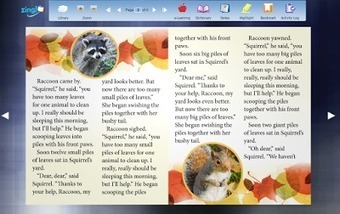
Zing! – Thousands of Free eBooks for Students

Zing is a new service offering thousands of free fiction and non-fiction ebooks to teachers and students. On Zing you can browse for books by topic, language, or reading level. You can read the books in your web browser on a laptop or tablet.Zing is more than just a repository of free ebooks. In the Zing reader students will find a built-in dictionary and tools for taking notes while they read.See it…

Continuar leyendo: Zing! – Thousands of Free eBooks for Students

Fuente: Tic&Educación

4 Great Wikipedia Tools to Use with Your Students

The use of Wikipedia in education is a controversial topic with a polarizing effect in the education community. Without getting into the nuts and bolts of this heated discussion, we do harbour a positive stance towards this collaborative platform and view it as an interesting starting place and a springboard for researching any given topic. More specifically, the reference section at the end of Wikipedia’s articles, besides being a gold mine of information in and by itself, can…

Continuar leyendo: 4 Great Wikipedia Tools to Use with Your Students

Fuente: Tic&Educación

Embed a Google Form in a ThingLink Video

This week, participants in the ThingLink Teacher Challenge were encouraged to Engage Students with ThingLink for Video. The goal of this challenge is to add a layer of resources and interactivity to any video to design a customized student driven learning experience. A great tool for customizing an educational video is the Google Form. This handy tool can be embedded right inside of a ThingLink Video tag and displayed live within the video. See it on Scoop.it, via …

Continuar leyendo: Embed a Google Form in a ThingLink Video

Fuente: Tic&Educación

How to Quickly Create an Audio Slideshow

Summarizing the highlights of an event, summarizing the key points in a story, and summarizing the results of research project are all common purposes for creating audio slideshows. Sharalike makes it quick and easy to create a video for any of those purposes. In the video embedded below I provide an overview of how quick and easy it is to create an audio slideshow withSee it on Scoop.it, via TIC & Educación

Continuar leyendo: How to Quickly Create an Audio Slideshow

Fuente: Tic&Educación
Quick Tip: Embed a Google Form in a ThingLink Video

This week, participants in the ThingLink Teacher Challenge were encouraged to Engage Students with ThingLink for Video. The goal of this challenge is to add a layer of resources and interactivity to any video to design a customized student driven learning experience. A great tool for customizing an educational video is the Google Form. This handy tool can be embedded right inside of a ThingLink Video tag and displayed live within the video. See it …

Continuar leyendo: Quick Tip: Embed a Google Form in a ThingLink Video

Fuente: Tic&Educación
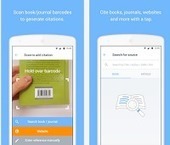
3 Good Android Apps for Organizing Reference Lists and Bibliographies

Below are three good Android bibliography and referencing apps. These apps are particularly curated for student researchers and academics. They provide a wide variety of features geared towards helping you with your research papers and enhancing your academic productivity. Check them out below and share with your colleagues.Gumersindo Fernández’s insight:1- EasyBib2- Mendely3-RefMeSee it on Scoop.it, via TIC & Educación

Continuar leyendo: 3 Good Android Apps for Organizing Reference Lists and Bibliographies

Fuente: Tic&Educación

Flip Your Classroom with These Teacher-tested Tools

Looking for more resources to help you flip your classroom? Here are a set of teacher-tested tools that can aid in video capture and editing, digital storytelling, and organizing all of your online materials.See it on Scoop.it, via TIC & Educación

Continuar leyendo: Flip Your Classroom with These Teacher-tested Tools

Fuente: Tic&Educación

Rubrics: Creating a List of Your Rubrics

If you use rubrics for your assignments it can be handy to have a list of all of your rubrics in one place. Of course, a spreadsheet is the best answer for organizing information.See it on Scoop.it, via TIC & Educación

Continuar leyendo: Rubrics: Creating a List of Your Rubrics

Fuente: Tic&Educación

Organizing Descriptive Feedback with Google Forms

By creating a Google Form to record students’ descriptive feedback for each subject, every single comment is in one spreadsheet and I can simply sort the sheet or filter it by name to see only one child’s feedback. This is unbelievably helpful when generating strengths and next steps for report card comments.See it on Scoop.it, via TIC & Educación

Continuar leyendo: Organizing Descriptive Feedback with Google Forms

Fuente: Tic&Educación

Good Collaborative Tools to Help Students with Group Projects

Working on a group project? Or organizing your students for group projects? Here are some tools that can manage the collaboration process for everyone.See it on Scoop.it, via TIC & Educación

Continuar leyendo: Good Collaborative Tools to Help Students with Group Projects

Fuente: Tic&Educación
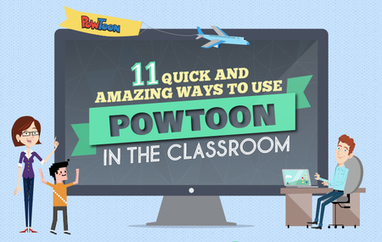
11 Quick and Amazing ways to use PowToon in your Classroom

Here are 11 ways that Powtoon can be used to integrate technology in the classroom – including real examples from teachers and students who have created their own animated videos, presentations and movies.See it on Scoop.it, via TIC & Educación

Continuar leyendo: 11 Quick and Amazing ways to use PowToon in your Classroom

Fuente: Tic&Educación

Some Very Good Google Forms Tools for Teachers

Google Forms is one of the versatile tools we use for a wide variety of instructional purposes. From creating survey forms to designing short formative assessment quizzes, Google Forms is definitely a life saver for teachers.With the added functionalities brought about by integrated add-ons , teachers can now perform some amazing things with their forms. Below are three examples of tools to simplify your classroom workflow.See it on Scoop.it, via TIC & Educación

Continuar leyendo: Some Very Good Google Forms Tools for Teachers

Fuente: Tic&Educación

[Infographic] 26 effective ways to use Twitter for teachers and educators

Teachers and educators in the present fast-paced, ever evolving world of communication are presented with a plethora of options which might sometimes be overwhelming. To reduce the efforts of teachers in learning a new form of communication, we give you some of the most effective ways of using the most modern form of communication, Twitter. The 26 Effective Ways to use Twitter for Teachers and Educators Infographic is aimed at educators interested in utilizing Twitter as…

Continuar leyendo: [Infographic] 26 effective ways to use Twitter for teachers and educators

Fuente: Recull Diari

An Excellent Google Drive Tool for Creating Interactive Presentations

Pear Deck is a nice app that allows you to plan and build interactive presentation decks directly from your Google Drive. One distinctive feature of Pear Deck is that it includes some amazing formative assessment tools that allows you to engage the entire class with a series of questions on the content of the presentation.See it on Scoop.it, via TIC & Educación

Continuar leyendo: An Excellent Google Drive Tool for Creating Interactive Presentations

Fuente: Tic&Educación

Using Google Slides to Teach

Google Slides is an amazing tool to teach with. There are so many applications and unique ways to use Google Slides. Below is a crowdsourced presentation started by myself and @htullman of ways to use Google Slides to teach. Feel free to add a slide and to use the Slides presentation yourself!See it on Scoop.it, via TIC & Educación

Continuar leyendo: Using Google Slides to Teach

Fuente: Tic&Educación
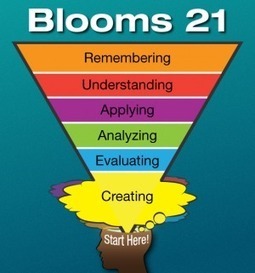
Flip This: Bloom’s Taxonomy Should Start with Creating

I think the revised Bloom’s Taxonomy is wrong.I know this statement sounds heretical in the realms of education, but I think this is something we should rethink, especially since it is so widely taught to pre-service teachers. I agree that the taxonomy accurately classifies various types of cognitive thinking skills. It certainly identifies the different levels of complexity. But its organizing framework is dead wrong. Here’s why.See it on Scoop.it, via TIC &

Continuar leyendo: Flip This: Bloom’s Taxonomy Should Start with Creating

Fuente: Tic&Educación

What ThingLink can do for Education by jkern

Featured this amazing image on the ThingLink Blog here thinglinkblog.com You Consider putting your name and social media contact on tags on this image for proper credit.See it on Scoop.it, via TIC & Educación

Continuar leyendo: What ThingLink can do for Education by jkern

Fuente: Tic&Educación

Ellen Degeneres Brings APS Teacher On Her Show And It’s Amazing

Get ready to feel all the feels because this is amazing. APS teacher, Sonya Romero didn’t allow budget cuts to get in the way of helping her students. Sonya digs into her own pockets to provide food, …Maite SF’s insight:Me encanta cuando una alumna le da las gracias por enseñarle a ser feliz. ¿Cuantos profesores enseñan a ser felices a sus alumnos?See it on Scoop.it, via Aprender y educar

Continuar leyendo: Ellen Degeneres Brings APS Teacher On Her Show And It’s Amazing

Fuente: Aprender y Educar
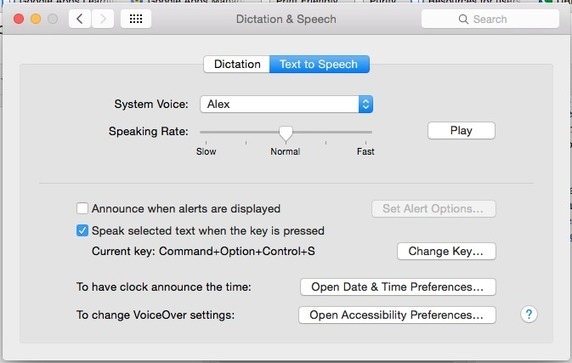
Text to Speech in Google Earth

Recently, some of our 6th graders came into the computer lab to do research using Google Earth. The teachers on the 6th grade team had spent many hours digitizing curriculum and making Google Earth Tours (.kmz files) for their students as it is a wonderful way for students to experience the world around them.See it on Scoop.it, via TIC & Educación

Continuar leyendo: Text to Speech in Google Earth

Fuente: Tic&Educación