Artículos con la etiqueta ‘google drive’

Unclouded, tus cuentas de Dropbox y Google Drive en la misma aplicación
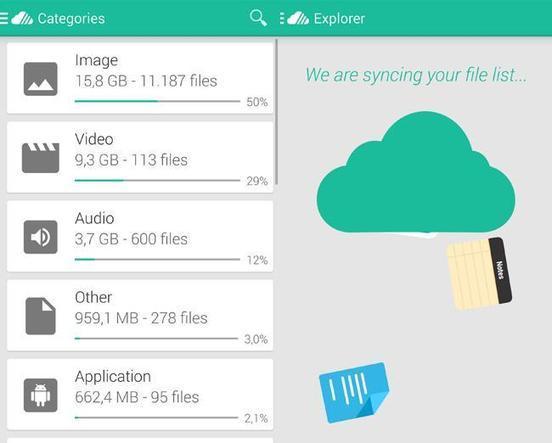
En un día cualquiera utilizo tres cuentas de almacenamiento en la nube: dos de Google Drive (una por trabajo y otra por motivos personales) y una…See it on Scoop.it, via Recull diari

Continuar leyendo: Unclouded, tus cuentas de Dropbox y Google Drive en la misma aplicación

Fuente: Recull Diari

5 Great Ways to Use Google Forms

One of my favorite features of Google Drive is Google Forms. If you’re unfamiliar with this, think of it as a way to create quick surveys that can be used for a number of applications. Google automatically aggregates this data into a Google Spreadsheet, making forms a great way to quickly collect and share information. I have seen educators and administrators use Google Forms in the most creative and inventive ways. If you’re just starting with Google Forms, …

Continuar leyendo: 5 Great Ways to Use Google Forms

Fuente: Tic&Educación
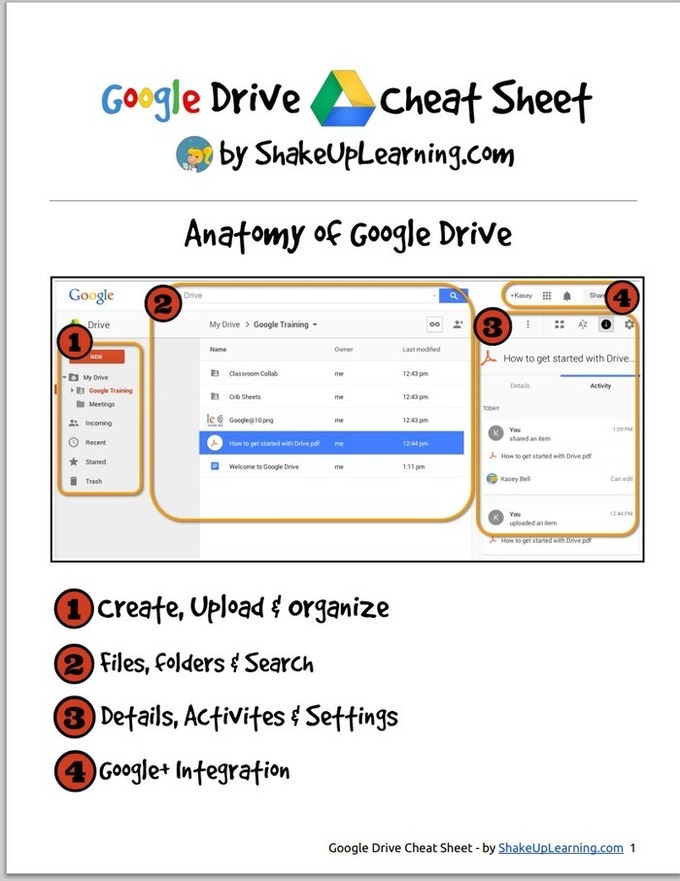
This Is How to Create Videos in Google Drive (WeVideo)

This week’s tip for teachers is about creating videos in Google Drive. As you know, since the time Google made it possible to integrate third party apps into Google Drive, there appeared a wide variety of excellent applications that are deemed to enhance the overall performance of your Drive . One of the essential apps that I think every teacher should connect with Google Drive is called WeVideo.See it on Scoop.it, via TIC &

Continuar leyendo: This Is How to Create Videos in Google Drive (WeVideo)

Fuente: Tic&Educación

Handy Google Drive Tip for Teachers- Moving Docs to Multiple Folders

Here is an excellent Google Drive tip I learned today from Shake Up Learning. As much as I love Google Drive and spend so much time discovering its hidden tricks and features I must say that this new tip has completely taken me by surprise and I am not sure how I missed it.See it on Scoop.it, via TIC & Educación

Continuar leyendo: Handy Google Drive Tip for Teachers- Moving Docs to Multiple Folders

Fuente: Tic&Educación
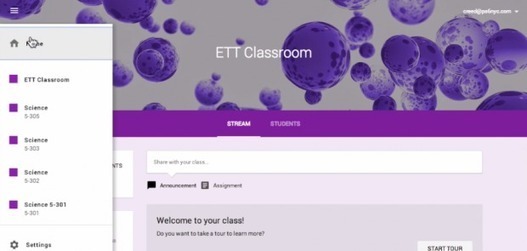
Introduction to Google Classroom

With the recent announcement of Google Classroom, school districts and educators across the country that are currently integrating Google Apps for Education into their classrooms are awaiting the opportunity to gain access to Google’s workflow solution. While there are currently a number of workflow solutions and approaches within Google Drive that classroom teachers can take that range from manual organization and file / folder sharingto advanced automation with tools such as Doctopus, See it on Scoop.it, via TIC &amp…

Continuar leyendo: Introduction to Google Classroom

Fuente: Tic&Educación
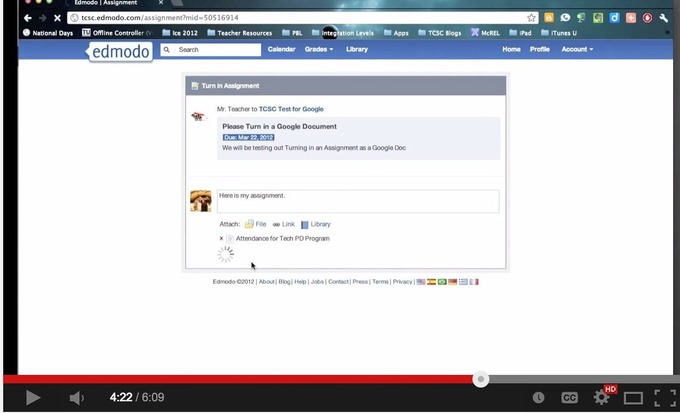
This is How to Use Google Drive with Edmodo to Share Docs and Assignments with Students

During a workshop I facilitated today in university, I was surprised to find out that several teachers did not know that Google Drive is integrated with Edmodo so I thought to write about it here , probably some of you don’t know about it either. The integration of Google Drive with Edmodo allows you to sync the content of your Drive with your Edmodo library so you can easily access and share your docs, files and folders with your Edmodo …

Continuar leyendo: This is How to Use Google Drive with Edmodo to Share Docs and Assignments with Students

Fuente: Tic&Educación
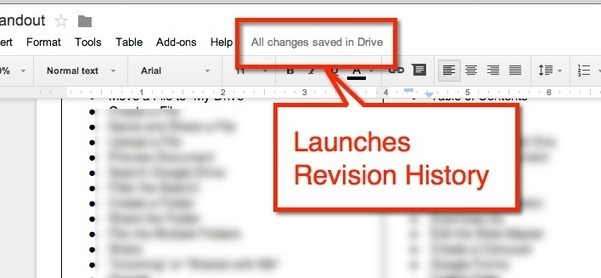
Google Doc Tip: Find Revision History

If you are using Google Docs, Sheets, Slides or Draw you will notice next to the menu options is a message letting you know that your document is saved in Google Drive.See it on Scoop.it, via TIC & Educación

Continuar leyendo: Google Doc Tip: Find Revision History

Fuente: Tic&Educación

New Google Drive: Setting Your Upload Options

In the new Google Drive it is more obvious how you can upload files. Click on “New’ and choose “File upload.” Alternatively, you can simply drag the files right into Google Drive if you are using Google Chrome.See it on Scoop.it, via TIC & Educación

Continuar leyendo: New Google Drive: Setting Your Upload Options

Fuente: Tic&Educación
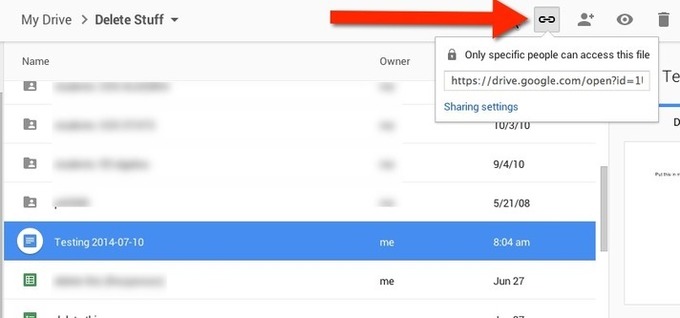
New Google Drive: Link to a File

While Google Apps are a productivity suite, I more so think of them as a collaboration suite. The new Google Drive now makes it even easier to connect and collaborate. Select a file in Google Drive and click on the link icon in the toolbar. This gives you the link to the document to share.See it on Scoop.it, via TIC & Educación

Continuar leyendo: New Google Drive: Link to a File

Fuente: Tic&Educación

New Google Drive: Saving a Document in Multiple Folders

In the old Google Drive you were able to hold down the Shift key and click on multiple folders that you wanted to organize your files into. In the new Google Drive this does not work.Click once on a file to select the file in Google Drive. The more icon looks like 3 dots along the top of the files. It is located next to the trash can icon. Selecting the more icon gives you the option to move the…

Continuar leyendo: New Google Drive: Saving a Document in Multiple Folders

Fuente: Tic&Educación

How to Use PicCollage – And Five Ideas for Using It In Your Classroom

PicCollage is one of my favorite Android and iPad apps. It is a free that allows you to quickly arrange pictures, video, text, and stickers into collages. From the app you can share your collage to Google Drive, Instagram, Facebook, Dropbox, and many other file sharing services. In the video below I demonstrate how to use it without creating a PicCollage account. Below the video I have five ideas for using in your classroom. See it…

Continuar leyendo: How to Use PicCollage – And Five Ideas for Using It In Your Classroom

Fuente: Tic&Educación

How To Create A Google Drive Classroom

Using the cloud in the classroom can be a powerful thing.One of the most common uses of the cloud in today’s classroom is word processing, and one of the most common cloud-based word processing platforms is Google Drive.See it on Scoop.it, via TIC & Educación

Continuar leyendo: How To Create A Google Drive Classroom

Fuente: Tic&Educación
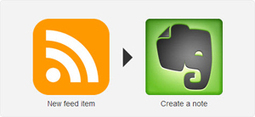
35 Awesome IFTTT Recipes To Archive Your Social Media Data

If you’re an avid social media user, it’s always smart to have a backup of your data. Archiving your data is great in cases where a site shuts down, or your account is compromised or you want to close down your accounts. Having an ongoing archive however will fast become a really good idea, especially when something bad happens to your online accounts, and you can’t be sure if you can still retrieve the…

Continuar leyendo: 35 Awesome IFTTT Recipes To Archive Your Social Media Data

Fuente: Tic&Educación

Cómo guardar en una hoja de cálculo automáticamente los tweets que incluyen determinado hashtag

Amit Agarwal de Digital Inspiration ha desarrollado un nuevo script que potencia las funcionalidades de las redes sociales, esta vez, una herramienta que permitirá importar automáticamente a una hoja de cálculo en Google Drive y con todo detalle, decenas de tweets que contengan un determinado hashtag (por ejemplo, los de una campaña) que podremos indicar con tan sólo cambiar el nombre de la hoja.See it on Scoop.it, via TIC

Continuar leyendo: Cómo guardar en una hoja de cálculo automáticamente los tweets que incluyen determinado hashtag

Fuente: Tic&Educación
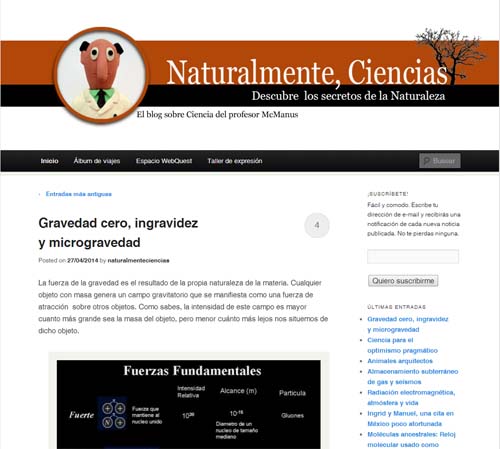
Naturalmente, Ciencias: el blog del profesor McManus

Naturalmente, Ciencias, es un blog educativo creado en el IES Las Viñas de Mollina (Málaga) y dedicado al área de Ciencias de la Naturaleza. De la mano del Profesor McManus, este espacio reune recursos y materiales útiles e interesanes dedicados a alumnos y docentes, y que tienen el objetivo de animar a aprovechar las TIC para mejorar y facilitar el aprendizaje. De esta forma, en la página principal se reúnen multitud de artículos que tratan diferentes temas…

Continuar leyendo: Naturalmente, Ciencias: el blog del profesor McManus

Fuente: Educaciontrespuntocero.com
11 importantes anuncios realizados en el Google I/O 2014

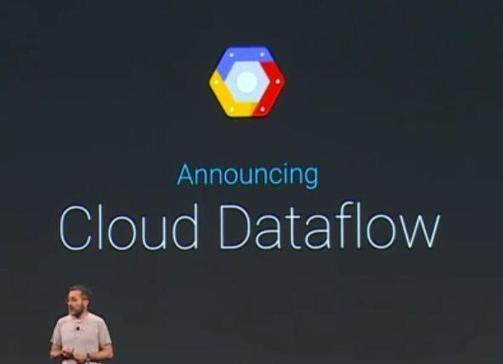
Edición de documentos de Microsoft Office sin recurrir a la conversión entre formatos y Google Drive for Work con espacio ilimitado y un costo de US$ 10 al mes, hacen parte de lo nuevo de GDrive. También ha llegado Google Cloud Dataflow, plataforma para procesar datos en la nube en tiempo real.Más informaciónSee it on Scoop.it, via TIC & Educación

Continuar leyendo: 11 importantes anuncios realizados en el Google I/O 2014

Fuente: Tic&Educación

Kaizena Adds Support for Giving Audio Feedback on Google Presentations

This is news that I have been waiting to announce for days! Kaizena now supports adding audio feedback on Google Presentations. Kaizena is a tool that integrates with your Google Drive account. With Kaizena authorized to access your Google Drive account you can highlight portions of your students’ work and add voice or text comments to it. Until today you could only leave voice comments on Google Documents, now you can leave voice comments on Google Presentations too.See…

Continuar leyendo: Kaizena Adds Support for Giving Audio Feedback on Google Presentations

Fuente: Tic&Educación

15 Effective Ways to Use Google Docs in Class

I spend a considerable time every single day browsing the net tracking new updates in the world of educational technology and, often times, in the midst of this journey I would come across wonderful resources and tutorials that usually end up in one of my posts here in this blog. So after the previous guide on how to be a Google Drive master , today I am sharing with you another awesome guide created by Eric Curts entitled “The …

Continuar leyendo: 15 Effective Ways to Use Google Docs in Class

Fuente: Tic&Educación

Chalkup: para enviar y corregir actividades en google drive

<!– Place this tag in your head or just before your close body tag. –> <!– Place this tag where you want the widget to render. –>

Continuar leyendo: Chalkup: para enviar y corregir actividades en google drive

Fuente: villaves56.blogspot.com