
Las mejores apps de marzo
 Os mostramos una selección con las apps educativas más destacadas de estas primeras semanas del mes de marzo: desde apps para escanear contenidos con la cámara del móvil o tableta hasta otras con las que escribir, leer y hacer anotaciones o crear contenidos para alumnos con necesidades especiales. OmmWriter Se define como una aplicación que hace que escribir se vuelva a convertir en un placer gracias a que permite a los usuarios estar solos con sus pensamientos, concentrarse y …
Continuar leyendo: Las mejores apps de marzo
Fuente: Educaciontrespuntocero.com
 I bought Minecraft for my 7 year old son and asked him if he needed help with it. “No, I just looked it up on YouTube.” We all know that YouTube is a great source for tutorial videos. Did you know that YouTube is the #2 search engine? Students are very likely to look up information on YouTube, it has become part of their culture. Here are 5 things you can do with YouTube:See it on …
 En FreeTech4Teachers.com se suele recomendar buenas herramientas para el mundo académico y en un reciente artículo se tocó el tema de la compartición de videos online sin que los alumnos deban recurrir a YouTube ya que hay opciones más útiles en muchos casos; Pues bien, revisamos hoy varias de ellas y añadimos las que conocemos.Gumersindo Fernández’s insight:1. Padlet2. DropItToMe3. WeTransfer4. Google Drive5. FileDropperSee it on Scoop.it, via
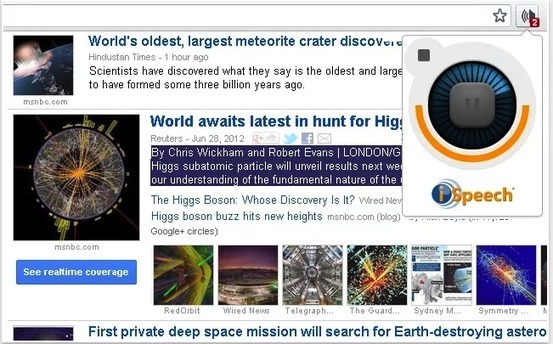 Below are two of the best text to speech apps out there. We have already reviewed these apps in previous posts and today we have them in one list for you to try and choose the one you like. These add-ons have integrated iSpeech technology which allows them to read any text you select for them. Watch the attached videos to see how each one of them works.See it on Scoop.it, via TIC
 Quizás, el problema se encuentre en la manera tradicional de plantearlos (si es que la hay). Debemos plantearlos como trabajos de investigación real, como retos y problemas a resolver.Veamos un ejemplo extraído de uno de los retos de Google, obtenido de Búsqueda avanzada de energía, de uno de sus cursos para aprender a buscar e investigar en la red. See it on Scoop.it, via TIC & Educación
 I’m a big fan of routines in the classroom. They’re efficient and help speed things along, leaving more time for other things. But I sometimes find that my routines become too reSee it on Scoop.it, via Aprender y educar
 Nueva colaboración de Belén Cristiano, que trabaja como PT en el CEIP Nuestra Señora de la Antigua en Monteagudo-Murcia y creadora del blog SUPERPT. Os quiero recomendar su blog encarecidamente, sobre todo por los brillantes manipulativos que prepara para trabajar con sus alumnos, con los materiales más variopintos, para orientación Andújar es un honor poder seguir publicando sus materiales. TUTORIAL DE USO COMO TRABAJAR EL Libro Manipulativo Primeras Fracciones OTROS MATERIALES MANIPULATIVOS DOCUMENTOS PARA DESCARGAR …
 As Alanis Morissette once said, ‘isn’t it ironic’. After years of struggle between teachers and students and the use of smartphones in school, new educational trends are actually encouraging the use of these devices.See it on Scoop.it, via TIC & Educación
 It is not a secret that I enjoy helping teachers learn how to use video creation tools with their students. Creating videos is a process that students enjoy because the final product is something that they can share with a potentially large audience. Teachers like video projects because students get engaged in developing and sharing their best work. At the end of the project there is always a question of how to share the work. If …
 Popular Culture has this wonderful list featuring a wide collection of some useful YouTube channels that you could probably recommend for your students. The channels suggested in this list cover various content areas and are arranged into two main categories: general and university collection. Below are some of the channels that stood out to us from the general category. These are channels that provide inspiring videos on different intellectual subjects. We invite you to check them out and …
 As a follow up to my post on not posting PDF’s of worksheets for students to annotate, here are directions for providing students feedback via a Google Form.See it on Scoop.it, via TIC & Educación
 Canva is a nice tool for designing infographics, collages, flyers, and slides in your web browser or on your iPad. I’ve been a fan of the service since it launched. In fact, I like it so much that I became an unpaid advisor to them when they started thinking about developing resources specifically for teachers.See it on Scoop.it, via TIC & Educación
 PDFs (portable document formats) are probably the most popular document format we use in our daily work as teachers and educators. As such, we deemed it important that we share with you this list of some interesting tools to help you do more with your PDF files. These Chrome apps will allow you to edit, annotate, convert, view, fill forms and share PDFs. Some of these add-ons (such as the first two in this list) are …
 Every teacher knows that visual aids are a good way to facilitate the learning process and grab students’ attention for a long time. Educators use different posters, videos, slideshows to explain a new topic, provide more details or even test students. Presentations take a prominent part in the visual aids collection. Their main benefit is that teachers can combine various types of content in one presentation: text, images, video clips, music. Saved in a video format, presentations can be easily …
 As of April 2014, Google Chrome become the de facto internet browser, passing Internet Explorer for the first time after a five-year free-fall from Microsoft’s out-of-favor software. Fast forward to today, and StatCounter paints an even bleaker picture for Google Chrome competition, with Safari, Firefox, and IE combined still below Chrome’s nearly-50% market share.See it on Scoop.it, via TIC & Educación
 “ Instead of paying ridiculous sums or taking time to create your own images, use some of the below, high quality stock photo websites. Here is a list of some of the better stock photo sites I’ve come across. Best of all, they are completely free!”See it on Scoop.it, via TIC & Educación
 Researchers say the idea of teaching to students’ preferred learning styles has little empirical support. The fact that it persists may say something about our education system.See it on Scoop.it, via Aprender y educar
 Tackk is a free tool for creating blogs, simple webpages, and digital portfolios. It’s flexible and easy to use so I included it in my Best of the Web presentation at the Ohio Educational Technology Conference earlier this month. In the video embedded below I provide a demonstration of how to create a simple digital portfolio on Tackk. As you’ll see in the video you can sign up for Tackk in a variety of ways including using your…
 Por Jose Antonio Luna el 26 de febrero de 2015, 02:20CompartirTwittearPinear2 ComentariosAunque nos encante tomar imágenes, existen momentos en los que nos desmotivamos y no encontramos razones suficientes para salir a la calle y sacar partido a nuestra creatividad fotográfica.See it on Scoop.it, via TIC & Educación
 Since its release a few months ago, add-ons store for Google Forms has several interesting tools added to it. We have gone through these apps and selected the most popular ones there. You can use these add-ons on your forms to add more features and options such as : sending custom emails based on responses, eliminate an option from a multiple choice list after user has submitted it, populate multiple choice lists and grid options from columns in any…