Artículos con la etiqueta ‘teachers’

A Handful of Google Calendar Tutorials for Teachers

From simply keeping track of personal appointments to sharing important information with students, Google Calendar is a versatile tool for teachers. The following tutorials can help you get the most out of using Google Calendar.See it on Scoop.it, via TIC & Educación

Continuar leyendo: A Handful of Google Calendar Tutorials for Teachers

Fuente: Tic&Educación

20 Essential Technology Terms for Teachers

Let’s lay out some of the more confusing technology terms that educators will encounter on a regular basis and see just what is behind each one.See it on Scoop.it, via Educacion, ecologia y TIC

Continuar leyendo: 20 Essential Technology Terms for Teachers

Fuente: Educación y Ecología

A Handful of Helpful Google Forms Tutorials for Teachers

Google Forms and Google Sheets can be very useful for collecting all kinds of information from students and others. Three of the most common uses of Google Forms and Sheets in schools are creating quizzes, conducting surveys, and organizing workflow. The following videos, screenshots, and links will help you learn how to use Google Forms and Sheets in your classroom.See it on Scoop.it, via TIC & Educación

Continuar leyendo: A Handful of Helpful Google Forms Tutorials for Teachers

Fuente: Tic&Educación

Make it: crea tus actividades educativas

Make It es una app creada por Planet Factory Interactive con la intención de dotar a los padres y educadores de una herramienta de creación de actividades educativas. El proceso de creación es simple e intuitivo. Os lo describimos paso a paso a continuación: 1) Crear un nuevo proyecto y asignarle un tema (diseño de […]

Continuar leyendo: Make it: crea tus actividades educativas

Fuente: Ididactic.com
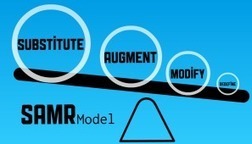
How To Use The SAMR Model For Classroom Tasks

“ The SAMR (Substitution Augmentation Modification Redefinition) model is a framework used to evaluate the technology being employed (or that you’d like to employ) in your classroom. Basically, it offers a way for you to look at how technology integration might affect teaching and learning. Accordingly, many teachers and administrators who are in the process of choosing between classroom technology …”See it on Scoop.it, via TIC & Educación

Continuar leyendo: How To Use The SAMR Model For Classroom Tasks

Fuente: Tic&Educación
Flubaroo add-on for Google Sheets

Flubaroo add-on for Google Sheets A favorite among teachers, Flubaroo is now even easier to use. With add-ons in Sheets, quickly grade and analyze student performance on multiple choice and fill-in assignments. Designed by a teacher, for teachers, Flubaroo is easy to use. Try it today for your assignments, quizzes, assessments, or even an exam. http://goo.gl/DralHrSee it on Scoop.it, via TIC & Educación

Continuar leyendo: Flubaroo add-on for Google Sheets

Fuente: Tic&Educación

Apple ID para menores de 13 años

Una de las preocupaciones más comunes entre padres y educadores es la seguridad de los menores frente a una herramienta como el iPad, el iPhone o el iPod. ¿Cómo gestionar la privacidad?, ¿cómo bloquear el acceso a contenidos inapropiados?, ¿cómo controlar el pago de compras? o ¿cómo gestionar permisos, actualizaciones o herramientas? son algunas de […]

Continuar leyendo: Apple ID para menores de 13 años

Fuente: Ididactic.com

Secret Teacher: why our working hours just don’t add up

This week’s Secret Teacher gives Michael Gove a mental arithmetic lesson, busting the myth that teachers are lazySee it on Scoop.it, via Educacion, ecologia y TIC

Continuar leyendo: Secret Teacher: why our working hours just don’t add up

Fuente: Educación y Ecología

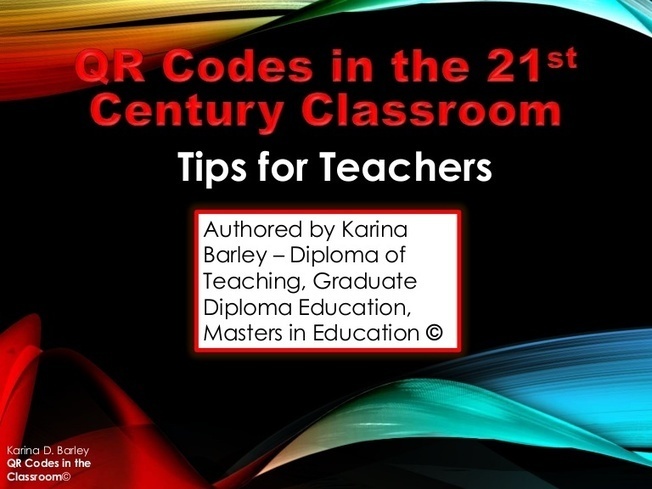
QR Codes in the 21st Century Classroom

Introduction to using QR Codes in the 21st Century Classroom, a guide for Teachers and Educators, including ideas, suggestions, tips, app links and more.See it on Scoop.it, via TIC & Educación

Continuar leyendo: QR Codes in the 21st Century Classroom

Fuente: Tic&Educación

Haiku Deck, presentaciones fáciles con iPad

Una buena manera, tanto para aprender como para enseñar, es a través de buenas presentaciones para captar la atención de los oyentes. Haiku Deck es una plataforma y una app que permite realizar presentaciones de una manera rápida y fácil. Aunque existen otros programas  y aplicaciones (Keynote o Prezzi, por ejemplo) que ofrecen servicios muy […]

Continuar leyendo: Haiku Deck, presentaciones fáciles con iPad

Fuente: Ididactic.com
30 Tips to Leverage The Power of YouTube in Your Teaching

Throughout my different experiences working with teachers integrating technology in their classrooms I noticed that several of them still do not know about the powerful features that YouTube has. The fad that YouTube is a mere video hosting platform is still pervasive among many while, in fact, most if not all of the features provided by premium video websites are also found in YouTube and for free.See it on Scoop.it, via TIC & Educación

Continuar leyendo: 30 Tips to Leverage The Power of YouTube in Your Teaching

Fuente: Tic&Educación

A Comprehensive Guide to The Use of Edmodo with Students

Edmodo is a powerful web-based platform that has a huge potential for us in education. The features and functionalities provided by Edmodo for teachers and students are invaluable and hence the importance of having access to a handy guide like the one below. This visual guide aims at helping teachers tap into the educational potential of Edmodo.See it on Scoop.it, via TIC & Educación

Continuar leyendo: A Comprehensive Guide to The Use of Edmodo with Students

Fuente: Tic&Educación

9 Things Every Student Should Be Able to Do with Google Drive

Google Drive is a powerful productivity suite with an increasing potential in education. From storing documents to creating stunning presentations and drawings, Google Drive empowers you with the necessary tools to enhance your productivity and augment your workflow. I have been sharing several guides and materials on how teachers can tap into the power of this platform and this section aggregates all I have shared in this regard so far.See it on Scoop.it, via TIC & Educación

Continuar leyendo: 9 Things Every Student Should Be Able to Do with Google Drive

Fuente: Tic&Educación
10 New Educational Web Tools to Try Out

Once every two weeks I feature here in Educational Technology and Mobile Learning a list of some of the new educational web tools I have been bookmarking. These are basically tools other teachers and edubloggers have reviewed in their websites and blogs and which I think are worth sharing with you and keeping you posted about the latest in the world of educational technology.See it on Scoop.it, via TIC & Educación

Continuar leyendo: 10 New Educational Web Tools to Try Out

Fuente: Tic&Educación

Augmented Reality + Avatars + Video = Fun Storytelling

This week at NCTIES 2014 I’ve learned as much I’ve shared. One of the highlights for me was seeing teachers combine the use of multiple apps to create one finished product. One of the combinations that I stumbled upon this week was using Tellagami creations in WeVideo.See it on Scoop.it, via TIC & Educación

Continuar leyendo: Augmented Reality + Avatars + Video = Fun Storytelling

Fuente: Tic&Educación

Find Educational Maps In the Google Maps Gallery

Google Maps is a versatile tool that I love to show to students and teachers. Over the years I’ve seen great uses of Google Maps in mathematics,science, language arts, and social studies. TheGoogle World Wonders project provides a great place to find Street View imagery of famous natural and man-made landmarks, but it is limited to Street View. The new Google Maps Gallery offers a fantastic collection of maps depicting all kinds of data.See it on …

Continuar leyendo: Find Educational Maps In the Google Maps Gallery

Fuente: Tic&Educación
The Best Mind Mapping Tools and Apps for Teachers and Students

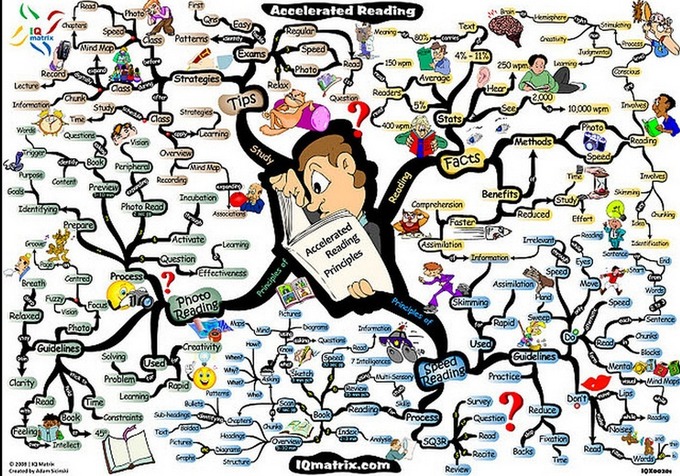
Creating and using mind maps is a great way to get students brainstorming ideas about a given topic, organize their thought processes and turn these ideas into a neatly written pieces. I have been using several web tools with my students over the past few years. From teaching vocabulary to getting students engaged in the prewriting process, I found the functionalities and ease of use of these web tools a great way to enhance students productivity….

Continuar leyendo: The Best Mind Mapping Tools and Apps for Teachers and Students

Fuente: Tic&Educación