Artículos con la etiqueta ‘teachers’

5 Time Saving Ways Teachers can use Google Forms

This is reblogged from my original post at Edudemic. It is part of my Google Drive series which includes “10 Things Every Teacher Should be able to do on Google Docs.”See it on Scoop.it, via TIC & Educación

Continuar leyendo: 5 Time Saving Ways Teachers can use Google Forms

Fuente: Tic&Educación

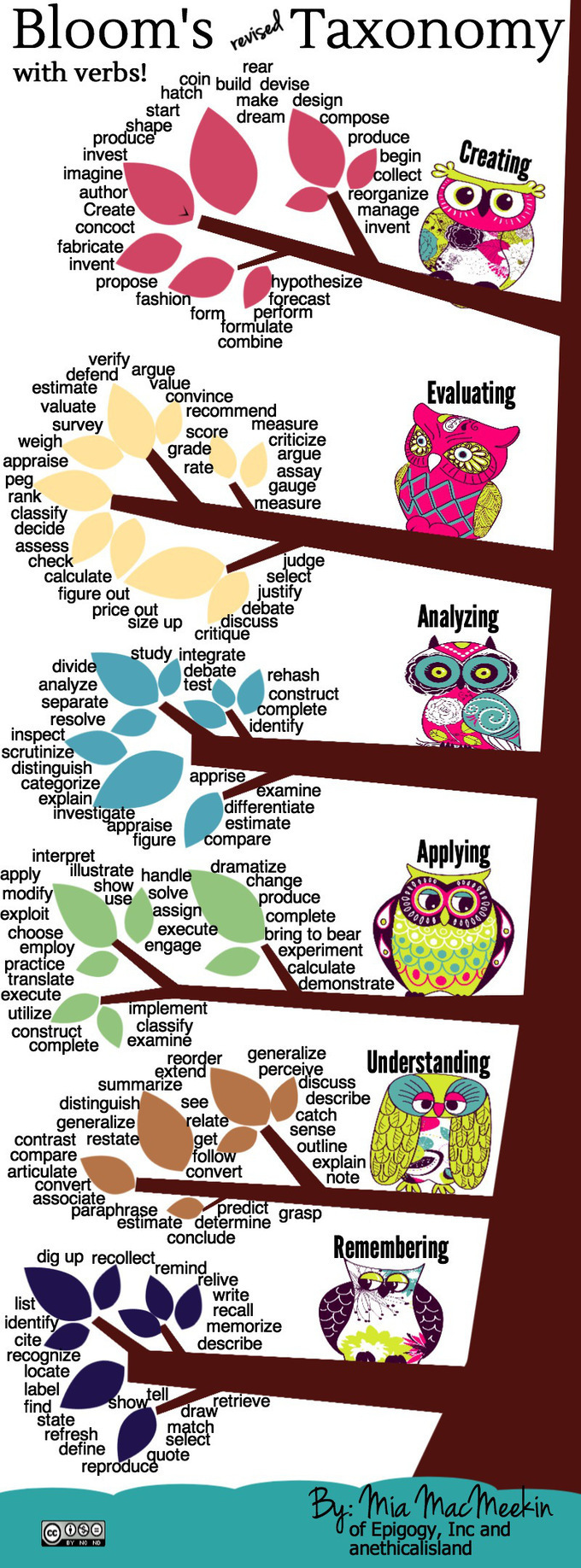
The 6 Levels Of Bloom’s Taxonomy, Explained With Active Verbs

The various levels of Bloom’s (Revised) Taxonomy are pretty well known to most teachers at this point. The gradated levels of critical thinking allow teachers to build lesson plans and identify learning outcomes that are appropriate for the level of exploration of material for the students at that time. A useful way of understanding how …See it on Scoop.it, via TIC & Educación

Continuar leyendo: The 6 Levels Of Bloom’s Taxonomy, Explained With Active Verbs

Fuente: Tic&Educación

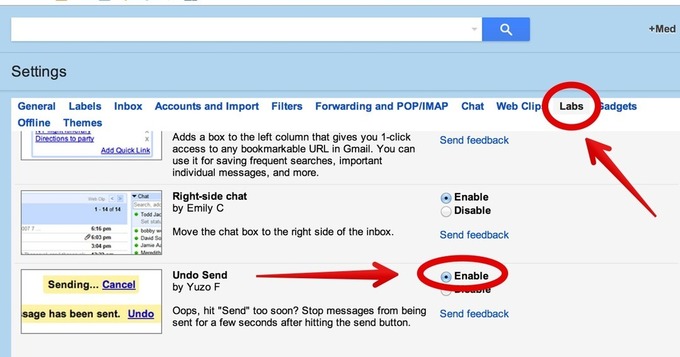
All The New Google Drive Updates Teachers Should Know about

Google has recently released some important updates to its Google Drive. I have already covered each of these updates in separate posts but for those of you who haven’t seen them yet, the list below aggregates all of these updates in one single place.See it on Scoop.it, via TIC & Educación

Continuar leyendo: All The New Google Drive Updates Teachers Should Know about

Fuente: Tic&Educación
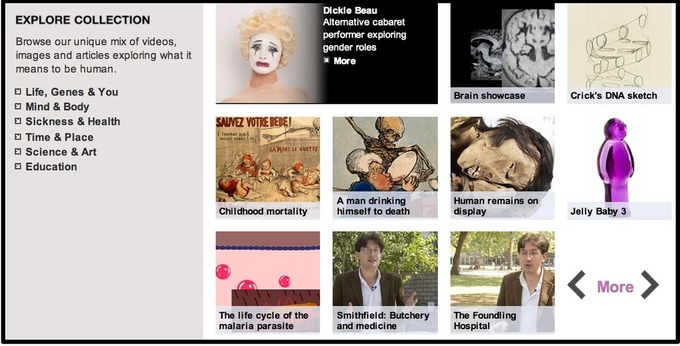
A Resource of Over 100.000 Free Images to Use in Class

Here is another great resource of free images for teachers and students to use in class.Welcome Library made freely available more than 100,000 high resolution images. These materials include a wide variety of historical manuscripts, paintings, etchings, early photography and many more.See it on Scoop.it, via TIC & Educación

Continuar leyendo: A Resource of Over 100.000 Free Images to Use in Class

Fuente: Tic&Educación

The power of digital student portfolios

This past spring, I was asked to substitute teach in one of our first-grade classrooms. There were no guest teachers available that day so, as the elementary principal, I was it. Being a former fifth- and sixth-grade teacher, I was a bit out of my comfort zone. How would I document what students learned during their time with me?See it on Scoop.it, via TIC & Educación

Continuar leyendo: The power of digital student portfolios

Fuente: Tic&Educación

Kahoot- Excellent Web Tool for Creating and delivering Quizzes and Surveys to Students

Kahoot is another great student response system that teachers can use to create and deliver quizzes and surveys to students. Kahoot provides a learning environment that is ideal for engaging students for it incorporates the precepts of both game-based learning and inquiry-based learning. See it on Scoop.it, via TIC & Educación

Continuar leyendo: Kahoot- Excellent Web Tool for Creating and delivering Quizzes and Surveys to Students

Fuente: Tic&Educación

Transforming Teaching & Learning with ThingLink

The experience of bringing together a group of teachers through a common learning goal this summer has been amazing. Now nearing the end of the ThingLink Teacher Challenge Week 7, participants are creating interactive images and self-publishing them all over the world wide web. See it on Scoop.it, via TIC & Educación

Continuar leyendo: Transforming Teaching & Learning with ThingLink

Fuente: Tic&Educación

11 Great Apps to Enhance Your Evernote

Evernote is a powerful note taking web tool and mobile app. It is definitely an elemental component of teachers workflow. I have been using it for a few years now and I just can’t live without it now.Evernote enables you to take notes in both text and audio format. Your notes can also include images,videos and even files. Evernote is available across different devices so that everything you do with Evernote on your computer can…

Continuar leyendo: 11 Great Apps to Enhance Your Evernote

Fuente: Tic&Educación

Guide to Scoring Rubrics

How do you know if your students have learned something you’ve taught in the classroom? Evaluating the learning process is no simple task. Since learning is a dynamic and complex process, teachers need a diverse set of tools for measuring the progress of his/her students. One of those tools is the scoring rubric.See it on Scoop.it, via TIC & Educación

Continuar leyendo: Guide to Scoring Rubrics

Fuente: Tic&Educación

Handy Google Drive Tip for Teachers- Moving Docs to Multiple Folders

Here is an excellent Google Drive tip I learned today from Shake Up Learning. As much as I love Google Drive and spend so much time discovering its hidden tricks and features I must say that this new tip has completely taken me by surprise and I am not sure how I missed it.See it on Scoop.it, via TIC & Educación

Continuar leyendo: Handy Google Drive Tip for Teachers- Moving Docs to Multiple Folders

Fuente: Tic&Educación

A Must Have Resource for Finding Educational Sites, Apps and Services

Graphite is one of the amazing platforms that connects teachers with technology. Graphite is a free website from Common Sense Media that provides reviews of the latest exciting innovations in educational technology, everything from video games that help students learn algebra to lectures they can watch online.See it on Scoop.it, via TIC & Educación

Continuar leyendo: A Must Have Resource for Finding Educational Sites, Apps and Services

Fuente: Tic&Educación

Teachers’ Guide to The Use of SoundCloud in Class

SoundCloud is a wonderful audio recording and sharing platform with huge potential for us in education. The distinctive set of features SoundCloud provides to its users have made it one of the most popular audio websites out there. As such, I deemed it important to create a guide that can help teachers tap into the educational potential of this tool. In this guide you will get to learn about.See it on Scoop.it, via TIC & Educación

Continuar leyendo: Teachers’ Guide to The Use of SoundCloud in Class

Fuente: Tic&Educación
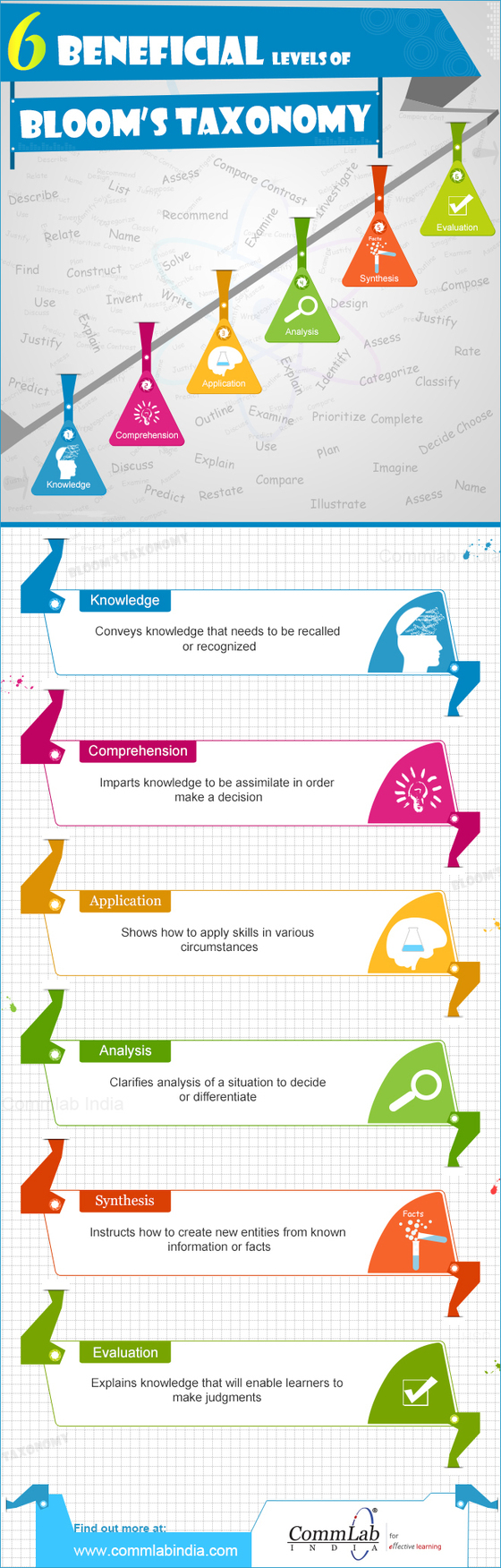
The 6 Levels of Bloom’s Taxonomy Infographic

The 6 Levels of Bloom’s Taxonomy Infographic helps teachers understand these levels and see what type of learning each level addresses.See it on Scoop.it, via TIC & Educación

Continuar leyendo: The 6 Levels of Bloom’s Taxonomy Infographic

Fuente: Tic&Educación
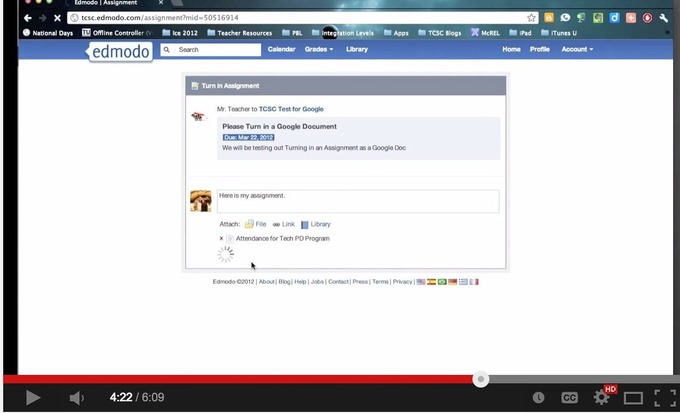
This is How to Use Google Drive with Edmodo to Share Docs and Assignments with Students

During a workshop I facilitated today in university, I was surprised to find out that several teachers did not know that Google Drive is integrated with Edmodo so I thought to write about it here , probably some of you don’t know about it either. The integration of Google Drive with Edmodo allows you to sync the content of your Drive with your Edmodo library so you can easily access and share your docs, files and folders with your Edmodo …

Continuar leyendo: This is How to Use Google Drive with Edmodo to Share Docs and Assignments with Students

Fuente: Tic&Educación

Evernote 101: How to Share Notes Using Evernote

I know, I just blogged about Evernote after ISTE, but it was a short post and there was so much more that I wanted to know! My UltiMaTe BiG QueSTioN: How do I use Evernote with students and teachers at school? My answer…”I don’t know…yet.”, but I am embarking on a journey to figure it out. So, here I go…my first entry on using Evernote.See it on Scoop.it, via TIC & Educación

Continuar leyendo: Evernote 101: How to Share Notes Using Evernote

Fuente: Tic&Educación

A Handy Rubric for Art Teachers

Today I am sharing with you a practical rubric for Art teachers. I came across this rubric through this resourceful Creativity Board on Pinterest. As you see below the rubric is divided into 6 categories: material application and techniques, understanding of content, completion, tool responsibility, craftsmanship, and creative process. Teachers are to assess students artwork against these 6 categories assigning marks from 0 to 30.See it on Scoop.it, via TIC & Educación

Continuar leyendo: A Handy Rubric for Art Teachers

Fuente: Tic&Educación

3 Great Collaborative Whiteboard Tools for Teachers

Below are some great whiteboard tools for teachers to use in class. These tools allow you to draw, sketch, and type on a web-based whiteboard. Some of them like PixiClip supports screen sharing. These tools can be used for a wide variety of purposes. They can be used for collaborative brainstorming, creating diagrams and illustrations, and designing step by step how-to guides.Gumersindo Fernández’s insight:1- PixiClip2- Sketchlot3- Realtime BoardSee it on Scoop.it,

Continuar leyendo: 3 Great Collaborative Whiteboard Tools for Teachers

Fuente: Tic&Educación