
Augmented Reality and Education: Learning connected to life – Reloaded
Conference at SIMO Education 2013 – Madrid (Spain)See it on Scoop.it, via TIC & Educación
Continuar leyendo: Augmented Reality and Education: Learning connected to life – Reloaded
Fuente: Tic&Educación
 Previously I created a rubric template that allows you to create a rubric from a template, paste your class roster, and then create a copy of the rubric for each student to make evaluation for your class easy. I have upgraded the script so that it now creates a spreadsheet for each student to share with them their rubric evaluation.See it on Scoop.it, via TIC & Educación
 The platforms below, curated from Open Culture, provides a wealth of free historical art works spanning different countries and eras. You can browse through the collections and see what you can get to use with your students in class.See it on Scoop.it, via TIC & Educación
 After years of leading workshops on blogging I have found that many people benefit from having a glossary of terms that they can refer to. Likewise, if you’re blogging with your students it is helpful if there is a common understanding of the terminology used in your blogging activities. Embedded below is the glossary of terms of that I created a couple of years ago for participants in my workshops. You can also click here…
 Green screen is a cinematographic technique that allows video editors to add a variety of visual effects to their videos. These effects include : adding virtual backgrounds, superimposing subjects over animated backdrops, placing a subject on another shot and many more. Green screen technology has been widely used in weather and movie industry. But now with the emergence of apps such as the ones below, everyone can use this technology to create engaging clips and presentations. Gumersindo Fernández’s …
 With myriad adaptations for use in the classroom, MinecraftEdu brings Common Core–enhanced gaming to students.See it on Scoop.it, via TIC & Educación
 2006 was a landmark year in Google’s history. The Oxford English Dictionary accepted “Google” as a verb.Since then we have done quite a lot to make that action the grammar for our online lives. We follow its particular syntax to search for information. We follow the rules ofGmail netiquette. And we read with awe and alarm as Google impacts our future lives.See it on Scoop.it, via TIC & Educación
 El dominio público ofrece a cineastas, diseñadores, fotógrafos y cualquier otro tipo de creativo una importante fuente de recursos repleta de materiales libres de derechos de autor que pueden utilizarse y modificarse para crear nuevas obras artísticas. Sin embargo, las complejidades jurídicas de los derechos de autor y el dominio público pueden echar para atrás a muchos, y encontrar un tipo de imágenes específico, por ejemplo, de organizaciones…
 You may have seen other teachers produce printed portfolios or books documenting their students’ work, and you may have wondered if you could create one as well. The answer is yes you can!Whether you want to create a simple PDF version of your blog, or you want to turn it into a glossy, breathtaking, piece of art there are tools out there that you can use.See it on Scoop.it, via TIC & Educación
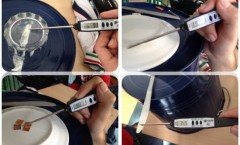 Hace apenas unos meses, apenas comenzado el curso, un pequeño grupo de alumnos del programa TALNET (http://talnet.esy.es/) propusieron la realización de un proyecto de investigación sobre el Grafeno, un material del que habían escuchado hablar y del que intuían que podía tener grandes aplicaciones para solucionar muchos problemas de la vida diaria. Este pequeño grupo (cinco alumnos de entre 14 y 18 años), ha escrito el siguiente artículo en el que describen los pasos que han …
 Today’s collection features a list of some useful new educational web tools we have curated from the piles of emails we have received over the last couple of weeks. The purpose is to provide busy teachers and educators with a handy resource where they can access and keep updated of the latest releases in the world of educational technology.See it on Scoop.it, via TIC & Educación
 Gonzalo Frasca, @frascafrasca, PhD, es diseñador, empresario y académico. Ha creado juegos para Disney, Pixar, Cartoon Network, WB y Lucasfilm. Es Catedrático de Videojuegos de la Universidad ORT y columnista en CNN en Español y El Espectador. Obtuvo un Lifetime Achievement Award de la Knight Foundation por su trabajo pionero en videojuegos periodísticos. Su interés como investigador se centra en el uso de juegos para comunicación y educación.See it…
 Google Forms is one of the versatile tools we use for a wide variety of instructional purposes. From creating survey forms to designing short formative assessment quizzes, Google Forms is definitely a life saver for teachers.With the added functionalities brought about by integrated add-ons , teachers can now perform some amazing things with their forms. Below are three examples of tools to simplify your classroom workflow.See it on Scoop.it, via TIC & Educación
 Blogs are surprisingly easy to use. They require minimum technical knowledge and are quickly and easily created and maintained.See it on Scoop.it, via TIC & Educación
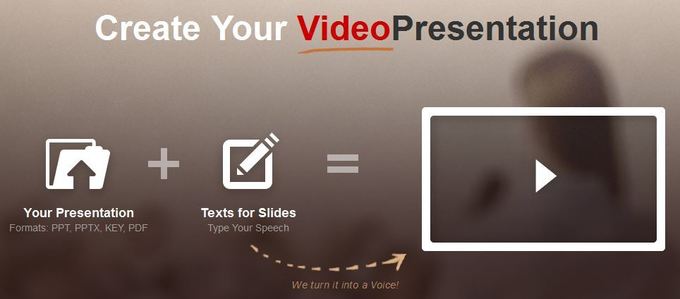
 Wideo is a neat service for creating animated,Common Craft style videos in your web browser. I’ve been using and talking about the service for a couple of years now. Recently, Wideo added a new feature that allows you to generate presentations from your videos.See it on Scoop.it, via TIC & Educación
 In film and video, a green background can be placed behind subjects being filmed. This allows a separately-filmed background to be added to the final video. Using a green screen is a fun way to enhance any video project. Filming in front of a green screen allows any project to be virtually transported to a new location or setting.Some apps have been created to help make editing green screen footage easier. Some of …
 There are slideshows, printables, lesson plans, downloadable content and guides, videos, and much more. The sites listed below offer lots of stuff for all subjects and grades, so dive in and see what you can dig up.Who doesn’t love free tools, especially free tools for teachers? Happy hunting, teaching, and learning!See it on Scoop.it, via TIC & Educación
 See it on Scoop.it, via TIC & Educación
 Google’s Safety Center offers parents good advice on keeping their kids safe online. Much of the information provided in the Safety Center is focused on things like privacy settings, search filters, and Android app management. The information on settings and filters is complemented with advice on talking to kids about responsible online behaviors. That advice comes from organizations including Common Sense Media, iKeep Safe, and OnGuard Online.See it on Scoop.it, via TIC & Educación
 Last week I shared Canva’s thirty design tutorials and lesson plans that incorporate designing infographics, comics, and other visuals. Today, Canva released a new video tutorial that covers just the basics of creating designs and downloading them from Canva. If you’re the type of person who prefers to just jump into a tool rather than work through a long series of tutorials, this video is for you.See it on Scoop.it, via TIC & Educación