How To Cite Social Media In Scholarly Writing
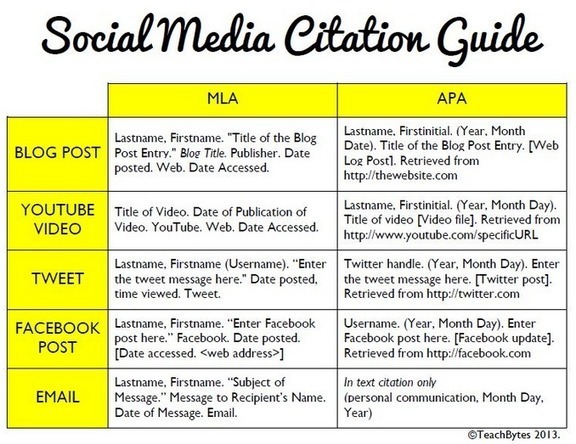
How To Cite Social Media In Scholarly WritingSee it on Scoop.it, via TIC & Educación
Continuar leyendo: How To Cite Social Media In Scholarly Writing
Fuente: Tic&Educación
How To Cite Social Media In Scholarly WritingSee it on Scoop.it, via TIC & Educación
Continuar leyendo: How To Cite Social Media In Scholarly Writing
Fuente: Tic&Educación
Hace 45 años Neil Armstrong, comandante de la misión Apolo 11, fue el primer hombre en colocar un pie en la Luna, nuestro único satélite natural.See it on Scoop.it, via TIC & Educación
Continuar leyendo: 45 aniversario de la llegada del Apolo 11 a la Luna
Fuente: Tic&Educación
Marker.to es una herramienta web que ofrece un bookmarklet para navegadores, más una extensión para el navegador Chrome, que permite resaltar texto de una página web, guardar esa página resltada y hasta compatir la misma en redes sociales.See it on Scoop.it, via TIC & Educación
Continuar leyendo: Marker.to permite resaltar texto de páginas web, para luego poder compartir
Fuente: Tic&Educación
Here is a wonderful resource packed full of digital tools to help student researchers. DiRT ( Digital Research Tools) Directory is a registry of digital tools for scholarly use. The purpose behind this project is to help individuals “conducting digital research to find and compare resources ranging from content management systems to music OCR, statistical analysis packages to mindmapping software.”See it on Scoop.it, via TIC & Educación
Continuar leyendo: A Great Collection of Web Tools for Researchers and Academics
Fuente: Tic&Educación
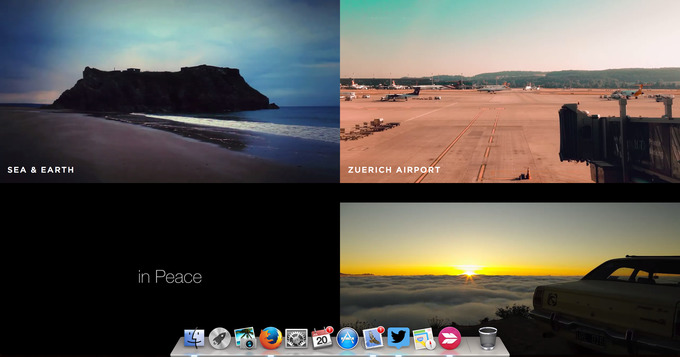
Download free creative commons HD video clips & footages.See it on Scoop.it, via TIC & Educación
Continuar leyendo: Mazwai – Free to use HD video
Fuente: Tic&Educación
Visme es una interesante herramienta web que nos facilita crear y diseñar contenidos gráficos como infografías, presentaciones, banners, y otros.See it on Scoop.it, via TIC & Educación
Continuar leyendo: Visme, herramienta web para diseñar contenidos gráficos
Fuente: Tic&Educación
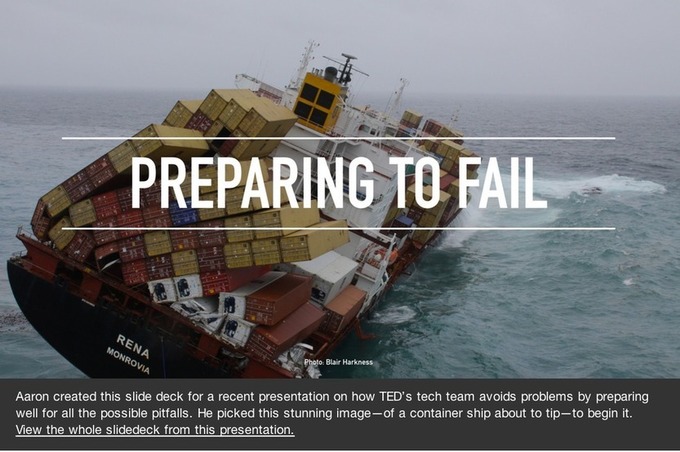
Creating effective slide decks that can engage the audience and pull them right in is a task that requires some serious training. This training comes in the form of practice in the key elements that make a better presentation. These elements are: the choice of images used in the slides, the amount of text used with these images, the font and type size of the text, the placement and arrangement of text vis-a-vis the images…
Continuar leyendo: 10 Tips to Design Effective Presentations
Fuente: Tic&Educación
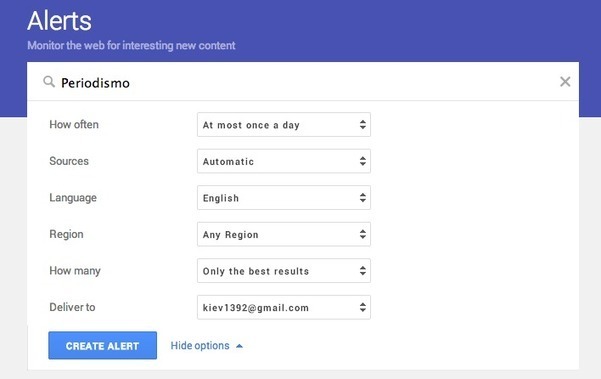
La herramienta de alertas de Google se actualizó y ahora presenta una nueva estética. Google Alerts precisa que su diseño se enfocó en la detectabilidad de los contenidos.La comunidad puede acceder rápidamente a una lista de alertas sugeridas debajo de la original, la cual abarca empresas, personas, países, entre otros.See it on Scoop.it, via TIC & Educación
Continuar leyendo: Google optimiza su sistema de alertas
Fuente: Tic&Educación

A review of the 10 best web-based tools to make quote photos. These tools create fast, easy and great-looking images from quotes or other text.Gumersindo Fernández’s insight: Pinwords Findings Pinstamatic LiveLuvCreate Quozio ReciteThis ProQuoter Quote4Fun QuotesCover.com Share as Image PicMonkeySee it on Scoop.it, via TIC & Educación
Continuar leyendo: 10+ web tools to make quote photos
Fuente: Tic&Educación
Boy Scouts do it. Video games do it. Sometimes grades aren’t enough. What’s a teacher to do? Check out this handy guide to using badges in your classroom!See it on Scoop.it, via TIC & Educación
Continuar leyendo: The Teacher’s Guide To Using Badges In Your Classroom
Fuente: Tic&Educación
No es sencillo saber si una imagen es real o si ha pasado por algún editor de imágenes, pero hay algunos programas que nos ayudan con esa tarea. See it on Scoop.it, via TIC & Educación
Continuar leyendo: Aplicaciones que detectan si una foto ha pasado por Photoshop
Fuente: Tic&Educación
Canva is another web tool you can use with your students to create mini-posters for your class. Canva is easy to use and has user friendly interface. The process of creating a visual through Canva is as simple as drag and drop. Canva provides you with a wide variety of images and clip arts that you can modify to suit your purposes. You can even upload your own images to use as background in your graphics.See it on …
Continuar leyendo: Canva- A Great Web Tool for Creating Mini-posters for Class
Fuente: Tic&Educación
See it on Scoop.it, via TIC & Educación
Continuar leyendo: 10 pasos para elaborar una #infografia
Fuente: Tic&Educación
La herramienta de autor eXeLearning se puede personalizar, para ello usamos los estilos.Por defecto cuando instalamos eXe lleva integrados algunos estilos, aquí os dejo dos variantes de estilos en las que estoy avanzando. los he llamado Tecintomares.Os dejo la versión con navegación vertical y otra con navegación horizontal. Estos estilos están diseñados para funcionar correctamente en el nuevo eXe del Intef, no para versiones anteriores.See it on Scoop.it, …
Continuar leyendo: Estilos eXeLearning
Fuente: Tic&Educación
Evernote no para. Los desarrolladores anunciaron en el blog un nuevo diseño para Web Clipper, su extensión para Chrome.See it on Scoop.it, via TIC & Educación
Continuar leyendo: Lo nuevo de Evernote para Chrome
Fuente: Tic&Educación
Con Dropbox Vault podemos así acceder a la información de nuestro feedly desde cualquier lugar, abriendo los datos sin necesidad de conexión a Internet, ya que los archivos que se salvan pueden estar en formato HTML o PDF, con el contenido completo dentro de ellos.See it on Scoop.it, via TIC & Educación
Continuar leyendo: Feedly se integra con Dropbox para que podamos hacer un backup de nuestra información
Fuente: Tic&Educación
When using a Google Spreadsheet you will likely want to freeze the first row and maybe the first few columns. What this does for you is allows you to see the header row as you scroll down through the spreadsheet. If you are looking at student data it is likely you would want to freeze the students name so that when you scroll to the right in the spreadsheet you are able to clearly connect …
Continuar leyendo: Freeze Bars in Google Sheets
Fuente: Tic&Educación
Learning how to use image editing software can be difficult and time consuming. And, teaching students how to use it can be even more challenging. Luckily, there are several free, online alternatives to bulky editors like Photoshop.These slimmed-down editors allow novice users to quickly become comfortable editing digital images, and are also excellent stepping stones for students who want to learn how to use more complex editors later on.Gumersindo Fernández’s insight:1. Picadilo2. Pixlr3. FotorSee it on Scoop…
Continuar leyendo: Our 3 Favorite Free Online Image Editors For Education
Fuente: Tic&Educación
En Clases de Periodismo hemos propuesto varios servicios en línea para que los comunicadores y periodistas puedan desempeñarse exitosamente en sus profesiones.See it on Scoop.it, via TIC & Educación
Continuar leyendo: Caja de recursos y herramientas para periodistas
Fuente: Tic&Educación
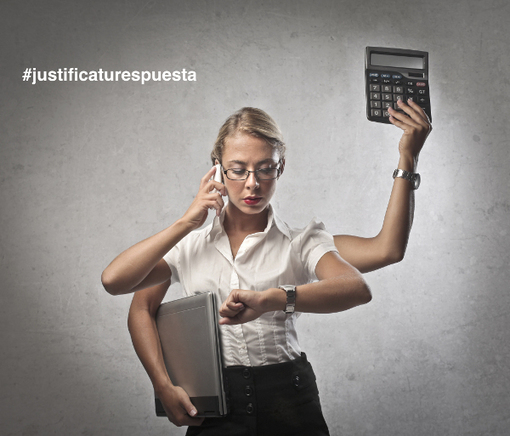
Hoy vengo a hablarte del término procrastinación. La procrastinación es un vocablo que procede del latín y que está formado por las palabras pro (adelante) y crastinus(relativo al tiempo futuro). La procrastinación se podría definir como la tendencia o hábito a retrasar tareas o situaciones de cumplida obligación por otras cuya obligatoriedad es más irrelevante o innecesaria. See it on Scoop.it, via TIC & Educación
Continuar leyendo: Procrastinación docente o dejar para mañana lo que debieras hacer hoy
Fuente: Tic&Educación