Tratar las drogas en tutoría

Continuar leyendo: Tratar las drogas en tutoría
Fuente: Tic&Educación

Continuar leyendo: Tratar las drogas en tutoría
Fuente: Tic&Educación
Continuar leyendo: 5 herramientas para crear historias multimedia
Fuente: Tic&Educación

Continuar leyendo: How to Create Photo with Audio Slideshows in YouTube
Fuente: Tic&Educación
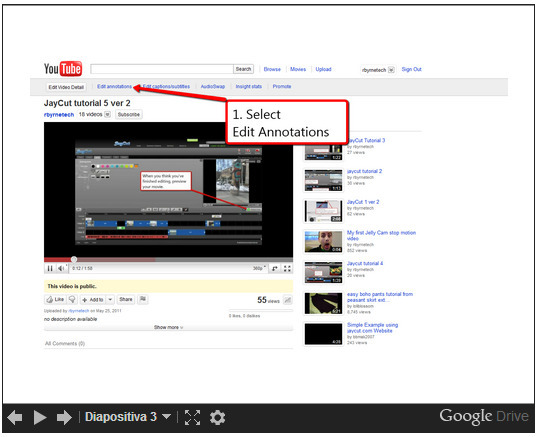
Continuar leyendo: How to Create a Linked Series of YouTube Videos
Fuente: Tic&Educación

Continuar leyendo: Wiki ThingLinkToolkit
Fuente: Tic&Educación

Continuar leyendo: La #Educación en el Marco de la Tecnología, los Video Juegos y las Redes Sociales. | Educar.org
Fuente: Educación y Ecología
 Keepy es una excelente app para dispositivos Ios, para generar un portfolio con las imágenes de los niños. Se puede utilizar en el ámbito familiar, pero también es muy interesante para el ámbito educativo, especialmente en las primeras etapas de la educación (infantil y primaria). Permite la captura de imágenes y la grabación de audio y vídeo por parte de padres o profesores. Posteriormente permite la organización de todo el material generado guardándolo en carpetas. En este…
Continuar leyendo: Keepy: portfolio para las imágenes de los niños
Fuente: villaves56.blogspot.com

Continuar leyendo: t – applicada: 10 Programas gratuitos para convertir vídeos
Fuente: Recull Diari

Continuar leyendo: Excellent Videos OnThe Use of Augmented Reality Apps by Students ~ Educational Technology and Mobile Learning
Fuente: Recull Diari
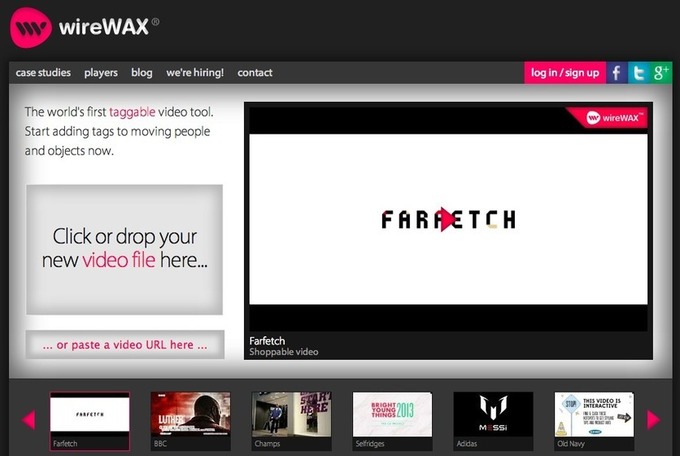
Continuar leyendo: Añade elementos interactivos en tus videos con esta herramienta
Fuente: Tic&Educación
La Asociación de Consumidores de Medios Audiovisuales de Cataluña (TAC) pidió en un comunicado una señalización de los programas emitidos en horario protegido coherente con los contenidos. Esta petición se publicó a los diarios La Vanguardia y ABC; las webs Comunicación 21, La Información y El economista, entre otros. NPSenyalitzacio_Clipping Por otro lado,TAC también participó a una tertulia de Radio Estrella sobre el tratamiento periodístico que los magacines hicieron de la muerte de la niña de…
Continuar leyendo: El comunicado de TAC para una señalización coherente en los medios
Fuente: Taconline.net
Los videojuegos demuestran día tras día que no tienen límites. Si hace unas semanas destacábamos las ventajas que pueden producir en personas ancianas, ahora la noticia es mucho más preocupante. Y es que si los juegos no tienen límites, GTA 5 parece que tampoco. El polémico juego de Rockstar llegaba a las tiendas hace poco menos de un mes con un presupuesto estratosférico. La obra magna, tecnológicamente hablando, había costado la friolera cantidad de 215 millones de dólares, a …
Continuar leyendo: GTA V bate todos los récords
Fuente: Taconline.net

Continuar leyendo: Crear vídeos y presentaciones animadas con PowToon
Fuente: Tic&Educación
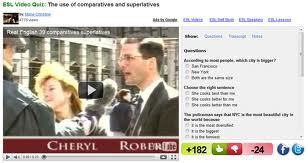
Continuar leyendo: Crear videocuestionarios online (ESL Video)
Fuente: Educación y Ecología
DescriptionSee it on Scoop.it, via Recull diari
Continuar leyendo: Creando videocuestionarios con vídeos de YouTube en Google Drive : Aulablog21
Fuente: Recull Diari
 Las cosas salen bien cuando te hacen sentir a gusto. Os dejo el video de mi conferencia el pasado jueves en RUEDA (6o seminario internacional de educación a distancia). Fue en Mendoza (Argentina), donde pude disfrutar de la compañía de los asistentes, organizadores, etc. y de algún que otro paseo por el parque general San Martín, una maravilla.0 comment(s)
Continuar leyendo: Untitled
Fuente: Dreig.eu

Continuar leyendo: Open Education Matters: Why is it important to share content?
Fuente: Tic&Educación

Continuar leyendo: Módulo Cuestionarios En Moodle
Fuente: Tic&Educación

Continuar leyendo: This is How to Use Google Form to Keep Track of Student Assignments
Fuente: Tic&Educación

Continuar leyendo: Two Important YouTube Tips for Teachers
Fuente: Tic&Educación