
Some of My Favorite Resources for Introducing Google Earth & Maps Beyond Social Studies
Google Earth and Google Maps has always been a natural fit in social studies classrooms. But Google Earth and Maps can also be powerful tools in other content areas. The resources below represent some of my favorite resources for introducing Google Earth and Maps in areas outside of social studies.See it on Scoop.it, via TIC & Educación
Continuar leyendo: Some of My Favorite Resources for Introducing Google Earth & Maps Beyond Social Studies
Fuente: Tic&Educación
 Google Classroom which is only six months old has managed to host over 30 million assignments turned in by teachers and students. This is a big sign that the tool is being widely endorsed within the education community particularly in the States. With this increasing popularity of Google Classroom, Google recently released some new updates to enhance its performance and make it more mobile friendly. TheSee it on Scoop.it, via TIC & Educación
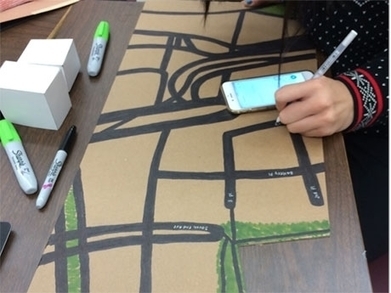 While many teachers are excited about the maker movement and may even be creating projects for their classrooms, assessment can be puzzling even to veteran classroom teachers. How can teachers prove that deep, rich learning is occurring through making? How do we justify a grade to students and parents alike, especially to the student who “just isn’t good at art”? By crafting a three-part rubric that assesses process, understanding, and product, teachers can …
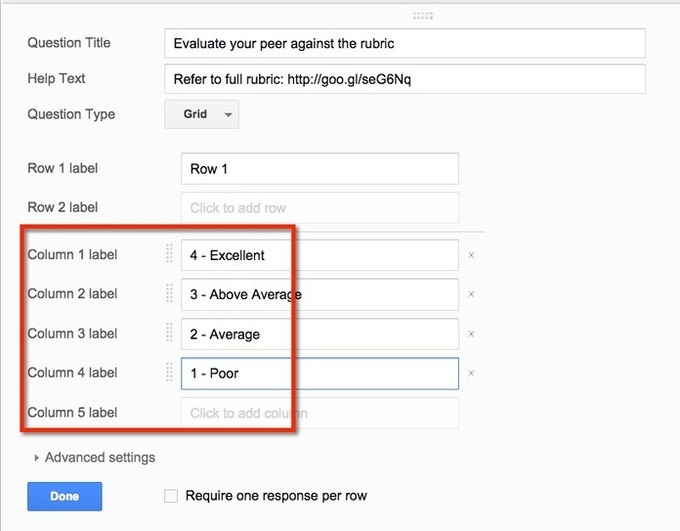 Google Forms has so many applications for education. For students to fill out to submit data to the teacher, for the teacher to record data on observations about students, for students and teachers to monitor their progress on a task they are tracking, for self and peer evaluation and so much more. Google Forms is the magic ingredient to help your classroom go paperless. Almost anything you were collecting on paper can now be collected through a Google…
 Social media is an ingrained part of today’s society. Our students are constantly on Instagram, Facebook, Twitter, and likely many sites we’re not hip enough to know about, and by reading this blog, you’re interacting with social media at this very moment. If you want to bring the “real world” into the classroom, consider integrating social media into your lessons.See it on Scoop.it, via TIC & Educación
 Tras el éxito de la I edición del Proyecto Crea: FlipClass – Dale un giro a tu clase, queremos desde Inevery Crea volver a lanzar este Proyecto Crea.La metodología de Flipped Classroom está irrumpiendo cada vez con más fuerza en las aulas y desde Inevery Crea y Santillana queremos ofrecerte la oport…See it on Scoop.it, via Recull diari
 The Flipped Classroom: The Full picture is not about watching videos as homework.See it on Scoop.it, via Recull diari
 On Sunday afternoon I had one of the “rabbit holes of the Internet” adventures that has me jumping from one link to another. It started by reading about these Google Classroom Hacks that Peter Vogel shared and ended with watching two videos about using Doctopus and Goobric to grade Google Classroom assignments. Doctopus and Goobric are Google Sheets Add-ons. In the videos embedded below Justin Brink demonstrates how to use Doctopus and Goobric with Google Classroom….
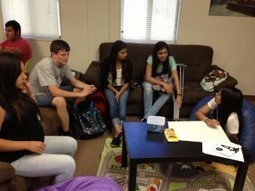 As we start the second half of the 2014-2015 school year hopefully you are feeling energized to try some new things. Here is a list of 10 suggestions:See it on Scoop.it, via TIC & Educación
 I’ve written about Padlet a lot over the years because of its flexibility to fit into a lot of classroom situations. One of the ways that you can use Padlet is to have students collaboratively create multimedia KWL (Know, Want, Learn) charts. To provide students with guidance on where to place their notes, I use a custom background on Padlet. The background is a just a screenshot of a three column page that I make in Google Documents (any…
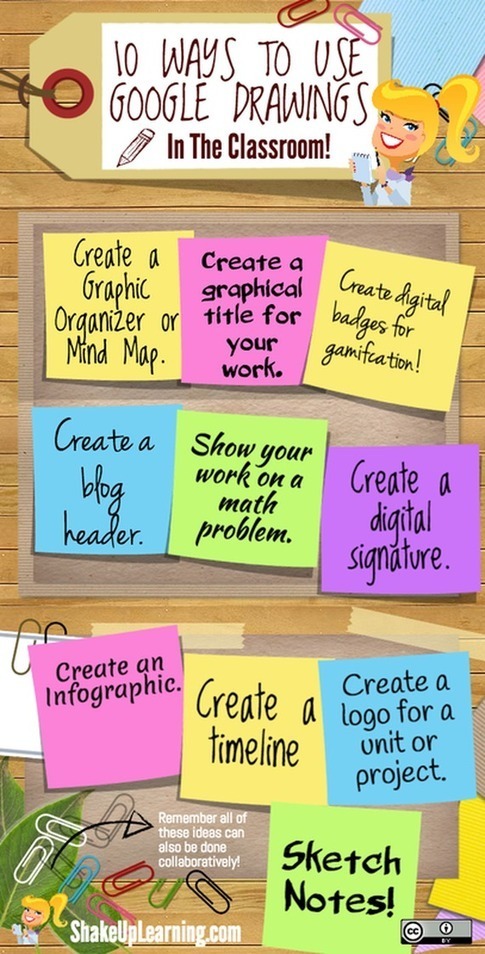 Google Drawings is a tool that is often overlooked by teachers. Being part of Google Drive, Drawings has some powerful features hat make it an ideal platform for creating educational posters, visuals, mind maps an many more. I have been using it to create several of the posters I shared here in the past and I find it really handy. Here is a step by step visual guide to help you learn how to use Drawings to …
 Instead of political meddling, why don’t we look to rigorous research to decide what works in our classrooms? asks Estelle MorrisSee it on Scoop.it, via Aprender y educar
 Classroom está disponible para cualquier persona que disponga de Google Apps for Education, un paquete de herramientas de productividad gratuitas entre las que se incluyen Gmail, Documentos de Google y Drive.See it on Scoop.it, via TIC & Educación
 We have launched WizIQ Recordor: an amazing lecture-recording software designed exclusively for your teaching needs. This software lets you convert your PowerPoint presentations into synchronized video lectures, publish them to WizIQ (add them to Content Library), and share them with your students right from your desktop- something which no other software has enabled you to do until now. And yes, it’s absolutely free!WizIQ Recordor (yes, it’s spelt with an “OR” not “ER”. No pun…
 What are the best apps for your classroom? The best little bits of software to use tomorrow, in your school, to make your classroom go?This is, strangely, not a frequent topic for us. We are more interested in helping you push your classroom towards something unrecognizable–something that reflects the extraordinary change the world has seen but many public schools have somehow resisted. Something that centers students, helps them learn what’s worth understanding, and then equips…
 As I have written in the past my favorite feature of Google’s My Maps (now available to access from Google Drive) is the option to create multiple layers of placemarks in each of your custom maps. Here are five ideas for creating multiple layer maps in your classroom.See it on Scoop.it, via TIC & Educación
 An overview of making short video lessons for those interested in “flipping” their classroom.See it on Scoop.it, via Recull diari
 See it on Scoop.it, via Recull diari
 So Many Fun Ways to use QR Codes in the Classroom! I’ve culled a bunch of ideas from different teachers who have shared their approaches to using this simpleSee it on Scoop.it, via TIC & Educación
 Last night I posted a chart comparing the features of five free multimedia timeline creation tools. Thanks to a comment by Robert McNulty on the FreeTech4Teachers Facebook page I learned about a fantastic new timeline creation tool. HSTRY is a multimedia timeline creation tool that will work on your laptop, Chromebook, iPad, or tablet.See it on Scoop.it, via TIC & Educación