Artículos con la etiqueta ‘excell’

7 Ways Students Use Diigo To Do Research and Collaborative Project Work
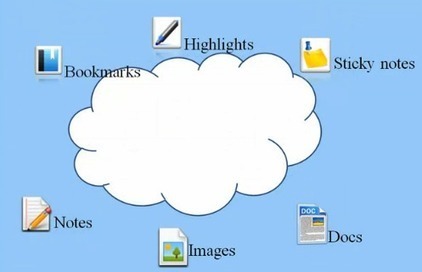
Diigo is an excellent social bookmarking tool that enable you to save, annotate, and share bookmarks. The power of Diigo lies in the distinctive features that it offers to teachers and educators. There is a specialSee it on Scoop.it, via TIC & Educación

Continuar leyendo: 7 Ways Students Use Diigo To Do Research and Collaborative Project Work

Fuente: Tic&Educación

Excellent Rubric for Using Digital Portfolios in Class

Planning to integrate digital portfolios in your instruction? This list of tools is a good place to start with. It contains some useful web applications that you and your students can use to easily create e-portfolios. Using e-portfolios with your students has several educational pluses that include:See it on Scoop.it, via TIC & Educación

Continuar leyendo: Excellent Rubric for Using Digital Portfolios in Class

Fuente: Tic&Educación

6 Technologies That Will Revolutionize the Classroom

From the computer to the iPad, technology is revolutionizing how we work, play, socialize, and learn (sometimes all at once). In celebration of Computer Science Education Week, we’re running the excellent infographic below, which explores 6 landmark technologies, includingEye Tracking TechnologyVirtual Reality TechnologyImmersive TechnologyWireless TechnologyWearable Computing TechnologyVideo Chat TechnologySee it on Scoop.it, via TIC & Educación

Continuar leyendo: 6 Technologies That Will Revolutionize the Classroom

Fuente: Tic&Educación
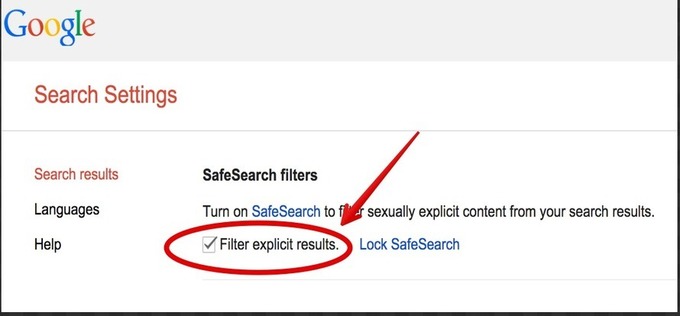
Excellent Google Search Tip to Use with Kids

One of the powerful features I like about Google is Safe Search. SafeSearch can help you block inappropriate or explicit images from your Google Search results. The SafeSearch filter isn’t 100% accurate, but it helps you avoid most adult content.See it on Scoop.it, via TIC & Educación

Continuar leyendo: Excellent Google Search Tip to Use with Kids

Fuente: Tic&Educación

Great Resources to Teach Students about Plagiarism and Citation Styles

One of my favourite sources for information and guidelines regarding referencing and citation styles is the Purdue Online Writing Lab (OWL). I have heard several professors (in the humanities, at least) recommend it to graduate students. But there are also several other resources student researchers and academics can draw on to hone in their research writing skills. This page from Plagiarism.org features a plethora of excellent materials and citation sources that are all available online or in the…

Continuar leyendo: Great Resources to Teach Students about Plagiarism and Citation Styles

Fuente: Tic&Educación
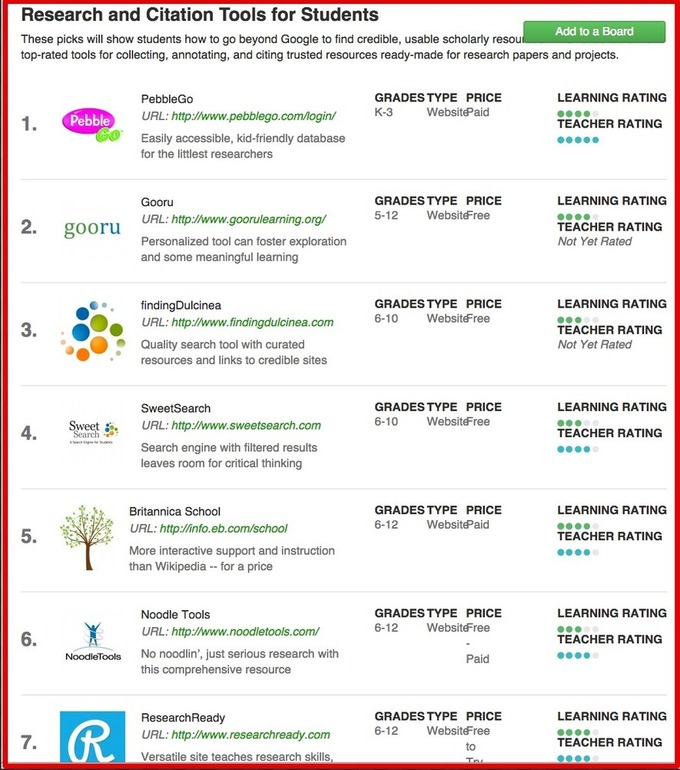
12 Good Research and Citation Tools for Students

12 Helpful Tools for Research and Citations” is an excellent list created by Kira DeVaul and shared on Graphite. This list comprises a number of useful web tools that can help students during their research. As a process, research is made up of different interconnected stages: The first phase is the search for information, reading sources and taking notes, doing the write up and creating a bibliography for references. Kira’s list provides web tools that students can draw on when working…

Continuar leyendo: 12 Good Research and Citation Tools for Students

Fuente: Tic&Educación

A Good Way to Create and Save Mind Maps to Google Drive

indMup is an excellent web tool that allows you to create beautiful mind maps. Mindmup does not require registration and is very simple to use. It is also integrated with Google Drive so you can save your mind maps straight to your Drive account. MindMup also provide a set of good extensions to enhance your mind mapping.See it on Scoop.it, via TIC & Educación

Continuar leyendo: A Good Way to Create and Save Mind Maps to Google Drive

Fuente: Tic&Educación

8 Excellent Concept Mapping Tools for Visual Learners

Today I have a short chat with some of my colleagues over the notion of concept mapping versus traditional outlining after which I decided to compile this list and share it with you here. Brainstorming ideas be it through concept maps or outlines is a scaffolding process that helps you flesh out relevant thoughts to include in your writing piece. On a personal level, I prefer to use outlines when I am engaged in an extensive…

Continuar leyendo: 8 Excellent Concept Mapping Tools for Visual Learners

Fuente: Tic&Educación
Excellent Resources on Evernote for Teachers

I love Evernote and it is definitely one of my favourite productivity tools I use on a daily basis. Evernote syncing facility makes it an ideal application to use across different devices both mobile and web-based. Like other powerful productivity apps (e.g Google Drive and Dropbox), Eevernote provides a set of tools that users can utilize to make the best of their ‘Evernoting experience’. One of these tools I like the most is …

Continuar leyendo: Excellent Resources on Evernote for Teachers

Fuente: Tic&Educación
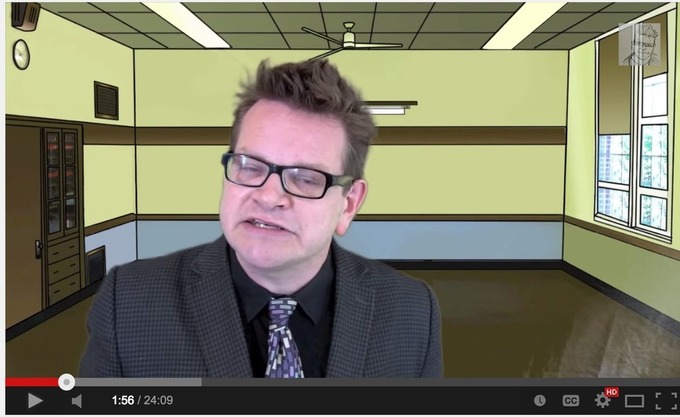
Here is How to Set Up A Flipped Classroom

Here is one of my favourite videos on flipped classroom. In this funny and insightful video, Keith Hughes explains the idea behind the flipped classroom and provides some excellent tips for teachers who want to integrate the flipped teaching methodology in their instruction. The video is a little bit long (24 minutes) but is really worth watching.See it on Scoop.it, via TIC & Educación

Continuar leyendo: Here is How to Set Up A Flipped Classroom

Fuente: Tic&Educación

10 Excellent Google Drive Templates for Teachers

The template gallery that Google Drive offers to users is one of the best places I often have recourse to to look for ready made templates to use in my work. The gallery features a wide variety of templates pertaining to different topics from templates on albums and flipbooks to templates for resumes and cover letters. You can refine you search either by type or category. You can for instance conduct a search for only Spreadsheets or Presentations templates by …

Continuar leyendo: 10 Excellent Google Drive Templates for Teachers

Fuente: Tic&Educación

A New Excellent Interactive SAMR Visual for Teachers

Here is a new wonderful interactive SAMR visual for teachers. I just came across it while I was going through my Google Plus feeds and thought you may want to have a look as well. For those of you not yet familiar with what SAMR model is all about , here is a refresher for you: SAMR model is a framework through which you can assess and evaluate the technology you use in your classroom. See it on…

Continuar leyendo: A New Excellent Interactive SAMR Visual for Teachers

Fuente: Tic&Educación

Curiosos experiments Mercedes-Benz

Some sound systems let you hear every beat. Only a few, let you feel them. Just like Burmester® surround sound system, which ensures audio excellence in the …See it on Scoop.it, via Recull diari

Continuar leyendo: Curiosos experiments Mercedes-Benz

Fuente: Recull Diari

Excellent Gmail Tips for Teachers

Below is a snapshot of a part of the graphic featuring the most useful operators. Click Here to access the original full version of this graphic.See it on Scoop.it, via TIC & Educación

Continuar leyendo: Excellent Gmail Tips for Teachers

Fuente: Tic&Educación

Can I Use This Picture- A New Wonderful Flowchart for Your Class

Here is an excellent new find I want to bring to your attention in this post. This is basically a flow chart created by The Visual Communication Guy to help you make informed decisions as to the requirements to use images from the net. The flow chart proceeds in the form of question-answer and walks users through the different explanations of copyright, fair use, creative commons and public domaine.See it on Scoop.it, via TIC & Educación

Continuar leyendo: Can I Use This Picture- A New Wonderful Flowchart for Your Class

Fuente: Tic&Educación
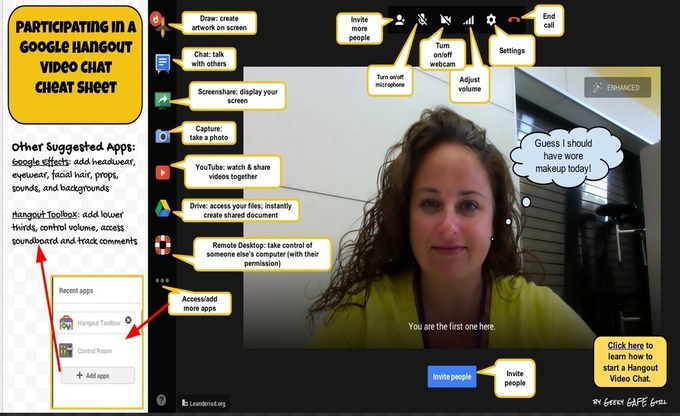
Google Hangout for Teachers- A Comprehensive Tutorial

Google Hangout is an excellent service that enables both one-on-one and group chats with up to ten people at a time.Google Hangouts are not all video based. You can hold a hangout using only the textual chat functionality or you can add voice. There is also another great feature called hangout on Air. A Hangout on the Air is a Google hangout that is broadcast both on YouTube both through your Google+ page . It’s a great …

Continuar leyendo: Google Hangout for Teachers- A Comprehensive Tutorial

Fuente: Tic&Educación

This Is How to Create Videos in Google Drive (WeVideo)

This week’s tip for teachers is about creating videos in Google Drive. As you know, since the time Google made it possible to integrate third party apps into Google Drive, there appeared a wide variety of excellent applications that are deemed to enhance the overall performance of your Drive . One of the essential apps that I think every teacher should connect with Google Drive is called WeVideo.See it on Scoop.it, via TIC &

Continuar leyendo: This Is How to Create Videos in Google Drive (WeVideo)

Fuente: Tic&Educación
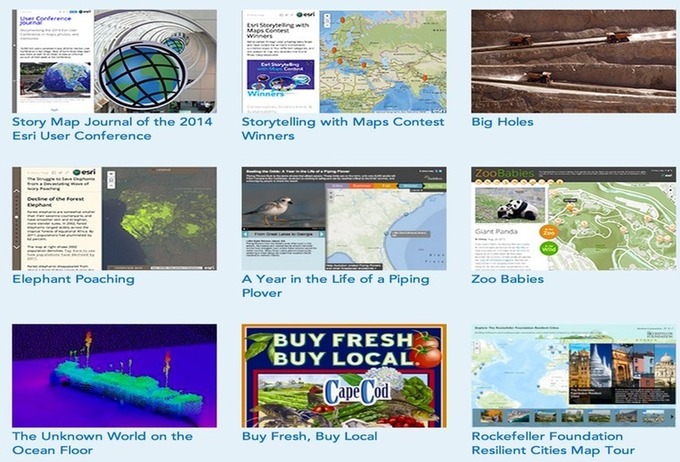
Two Excellent Web Tools to Create Story Maps in Class

The two web tools I m sharing with you today are ideal for creating and sharing mapped stories. Students can use them in class to organize, narrate and present information through the means of geography. Both of these tools are easy to use and are also student friendly. Have a look and share with your students.See it on Scoop.it, via TIC & Educación

Continuar leyendo: Two Excellent Web Tools to Create Story Maps in Class

Fuente: Tic&Educación

Handy Google Drive Tip for Teachers- Moving Docs to Multiple Folders

Here is an excellent Google Drive tip I learned today from Shake Up Learning. As much as I love Google Drive and spend so much time discovering its hidden tricks and features I must say that this new tip has completely taken me by surprise and I am not sure how I missed it.See it on Scoop.it, via TIC & Educación

Continuar leyendo: Handy Google Drive Tip for Teachers- Moving Docs to Multiple Folders

Fuente: Tic&Educación
Teachers Guide to Creating Rich Interactive Visuals Using ThingLink

ThingLink is an excellent web tool that allows you to create interactive images online. The images you create can come alive by adding to them text, video, music, and links. ThingLink has also recently rolled out a new feature, which is still in beta, that allows you to add interactive pinmarks to YouTube videos. These pin marks can be links to other videos or websites.See it on Scoop.it, via TIC & Educación

Continuar leyendo: Teachers Guide to Creating Rich Interactive Visuals Using ThingLink

Fuente: Tic&Educación