Artículos con la etiqueta ‘students’

33 Graphic Design Tools To Publish Visual Content
So this list of graphic resources from Kimberly Reynolds for visual content fits right in this context–for you as a teacher, or your students as creators.See it on Scoop.it, via TIC & Educación

Continuar leyendo: 33 Graphic Design Tools To Publish Visual Content

Fuente: Tic&Educación

5 Reasons Why Origami Improves Students’ Skills

What do pizza boxes, paper bags, and fancy napkins have in common? Well, you might have guessed it — origami.See it on Scoop.it, via TIC & Educación

Continuar leyendo: 5 Reasons Why Origami Improves Students’ Skills

Fuente: Tic&Educación

What is Hotlinking? – Why You and Your Students Should Avoid It

In a nutshell, hotlinking is inserting a picture into a blog post through a URL rather than uploading the image file itself to your blog. You can read more about hotlinking on the Simple English Wikipedia or on Host Gator’s page about preventing hotlinking to your own work.See it on Scoop.it, via TIC & Educación

Continuar leyendo: What is Hotlinking? – Why You and Your Students Should Avoid It

Fuente: Tic&Educación

How to Cite a Tweet in MLA, APA, and Chicago Style

As social media has evolved it has crept into academic work. I’ve even given research assignments in which I’ve asked my students to seek out and cite quotes from people on Twitter. More and more I’m asked, “how do I cite a Tweet?” In fact, I was asked this in an email last night. If you’re citing for a blog post, you can just embed the Tweet. If you’re citing for a more formal work you…

Continuar leyendo: How to Cite a Tweet in MLA, APA, and Chicago Style

Fuente: Tic&Educación

How Cool is Voki? Create Fun Talking Avatars for Classroom Use

Discover Voki, a fun, unique tool for your classroom and students. The idea behind this application is to create custom-made avatars (characters that resemble living people) and give them a set of instructions to say something.See it on Scoop.it, via TIC & Educación

Continuar leyendo: How Cool is Voki? Create Fun Talking Avatars for Classroom Use

Fuente: Tic&Educación

5 Great Web Tools to Enhance Collaboration in Class

When we talk about collaborative tools we are basically referring to web tools that allow teachers and students to do the following: communicate either synchronously or asynchronously, collaborate in creative ways, engage in interactive discussions, easily share and access learning resources (i.e documents, PDFs, files, calendars) and many more.To this end, we have curated this list to share with you what we think are some of the best web-based tools to enhance teachers-students collaboration and…

Continuar leyendo: 5 Great Web Tools to Enhance Collaboration in Class

Fuente: Tic&Educación

Can Games and Badges Motivate College Students to Learn?

K-12 educators are well versed in the use of games for learning, so why don’t colleges embrace the same kind of fun?See it on Scoop.it, via TIC & Educación

Continuar leyendo: Can Games and Badges Motivate College Students to Learn?

Fuente: Tic&Educación
How to Create Map Review Activities on Thinglink

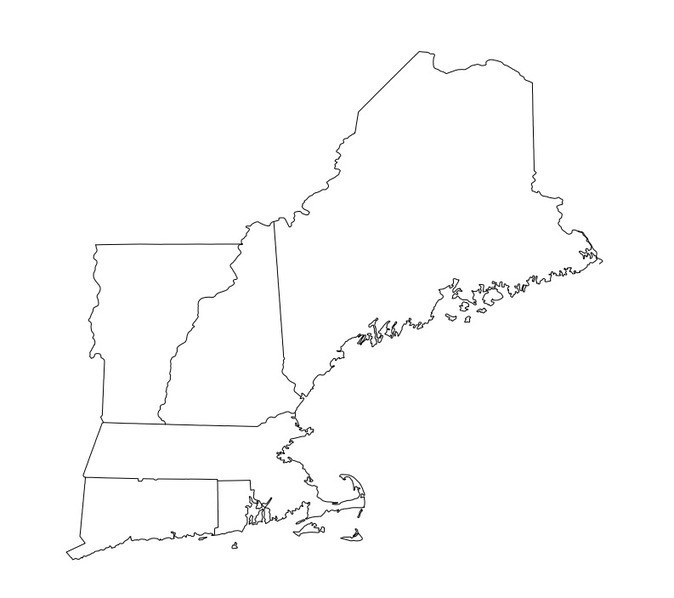
Thinglink Classroom combined with Thinglink’s remix function can provide you with a nice way to build image-based review activities. One example of this is taking an image of a map and inserting questions on top of it. After building your questions on top of the image share it with your students and have them remix it to answer your questions. In the video embedded below I demonstrate how to go about creating a map-based review activity in Thinglink…

Continuar leyendo: How to Create Map Review Activities on Thinglink

Fuente: Tic&Educación
Google Draw: Tips for Making Mind Maps

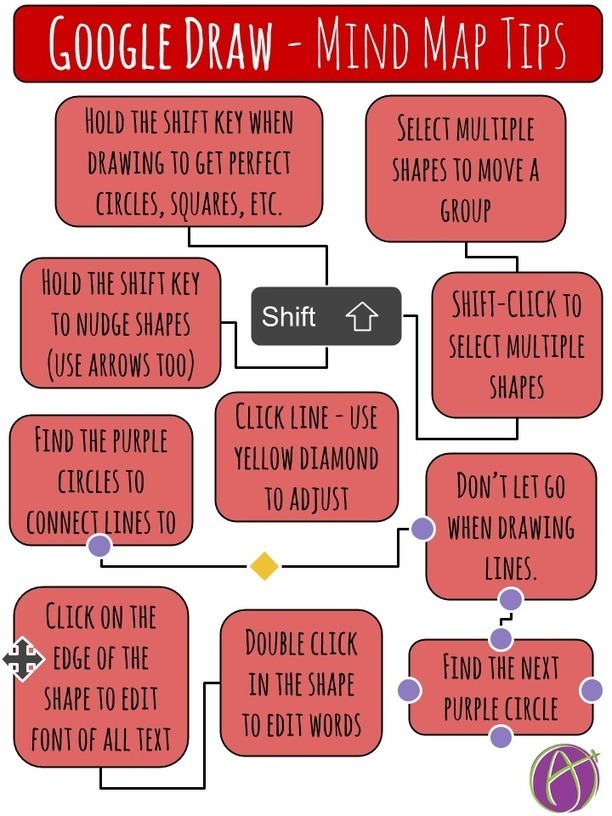
@learnwithmsm uses Google Drawings to make Mind Maps with her 2nd and 3rd graders. The drawing above provides a few tips for students to help them create Mind Maps.Link to Google Drawing: http://goo.gl/x2yqxVSee it on Scoop.it, via TIC & Educación

Continuar leyendo: Google Draw: Tips for Making Mind Maps

Fuente: Tic&Educación

How flipped learning works in (and out of) the classroom

lassroomFlipped learning is more than just having students do homework during the school day. It’s more than just putting the onus on students to teach themselves. In fact, it’s neither of those things. Don’t be fooled by simple explanations of flipped classrooms that simplify a highly complex undertaking.See it on Scoop.it, via TIC & Educación

Continuar leyendo: How flipped learning works in (and out of) the classroom

Fuente: Tic&Educación

The Educator’s Guide to Copyright, Fair Use, and Creative Commons

The legal jargon with respect to digital copyrights can be confusing – especially since different countries have their own laws and regulations.With this post, we hope to dispel a few myths and pull together a complete list of resources for teachers and students to use when blogging and working with content online.See it on Scoop.it, via TIC & Educación

Continuar leyendo: The Educator’s Guide to Copyright, Fair Use, and Creative Commons

Fuente: Tic&Educación

RefME Web Clipper Makes It Easy to Cite Webpages

RefME is a service designed to help students create bibliographies. The RefME mobile apps allow students to scan a book’s barcode and have the reference information added to a folder in their online RefME accounts.See it on Scoop.it, via TIC & Educación

Continuar leyendo: RefME Web Clipper Makes It Easy to Cite Webpages

Fuente: Tic&Educación

How to Print a Google Form and or Save it as a PDF

Using Google Forms can be a good way to create a quiz for your students to take. Unfortunately, if not all of your students have access to the web then you might need to print copies of the quiz. I was recently asked how to do this so I shot the following video to demonstrate how to print a Google Form.See it on Scoop.it, via TIC & Educación

Continuar leyendo: How to Print a Google Form and or Save it as a PDF

Fuente: Tic&Educación
Every Teacher’s Must Have Guide to Facebook

Want to connect with your students in and out of the classroom? Consider bringing Facebook into your class as a collaborative tool. We all know that most kids, or at least those in the pre-teen and up category, are locked into many forms of social media. Instead of fighting it, why not meet them where they are, and use the benefits of Facebook to communicate and increase involvement?See it on Scoop.it, via TIC & Educación

Continuar leyendo: Every Teacher’s Must Have Guide to Facebook

Fuente: Tic&Educación

A Very Good Tool for Generating Citations, Reference Lists and Bibliographies

RefMe is a web tool and mobile app that you can use to automate citations, reference lists and bibliographies. RefMe also offers a bunch of powerful features that will definitely help students in their research.See it on Scoop.it, via TIC & Educación

Continuar leyendo: A Very Good Tool for Generating Citations, Reference Lists and Bibliographies

Fuente: Tic&Educación

Google Forms: Quick Start Guide

Quick guide to getting started with using Google Forms.Please feel free to utilize this resource with students and teachers in trainings on Google Forms. Please do not republish this graphic to your blog.Link to PDF: http://goo.gl/yB956aLink to Image File: http://goo.gl/VApqkl ;Link to Google Drawing: http://goo.gl/2P6kwiSee it on Scoop.it, via TIC & Educación

Continuar leyendo: Google Forms: Quick Start Guide

Fuente: Tic&Educación
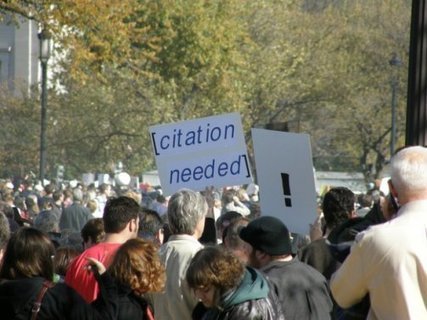
8 Tools that Make Citations a Breeze

Be sure to cite your sources.” “Give credit where credit is due.” “Don’t plagiarize.” It’s possible all teachers have said these things to students. But what do those directives mean to students who, in all reality, haven’t had to do much citing? What does it even mean to cite your sources? The first step in the process is for students to understand the purpose and importance of citations. We found this…

Continuar leyendo: 8 Tools that Make Citations a Breeze

Fuente: Tic&Educación

How to Create Custom QR Codes

Last night I wrote about Russel Tarr’s QR Code Treasure Hunt Generator. That is one fun way to use QR codes in your classroom. Regina Schantz shared this picture (embedded in the Tweet below) of her students on a QR code treasure hunt.See it on Scoop.it, via TIC & Educación

Continuar leyendo: How to Create Custom QR Codes

Fuente: Tic&Educación

5 Ways Students Can Use Google Docs in Math

I taught high school math for 14 years. My last years I went paperless. There are many digital tools that support teaching math and Google Docs is one of them. If your school has Google Apps for Education (GAfE) here are 5 ways to have students use Google Docs in math:See it on Scoop.it, via TIC & Educación

Continuar leyendo: 5 Ways Students Can Use Google Docs in Math

Fuente: Tic&Educación

5 Ways to Teach with YouTube

I bought Minecraft for my 7 year old son and asked him if he needed help with it. “No, I just looked it up on YouTube.” We all know that YouTube is a great source for tutorial videos. Did you know that YouTube is the #2 search engine? Students are very likely to look up information on YouTube, it has become part of their culture. Here are 5 things you can do with YouTube:See it on …

Continuar leyendo: 5 Ways to Teach with YouTube

Fuente: Tic&Educación